
OneShot
Future Cat LLC2016Indie, Puzzle
640.2MBBuild 15977536Updated 51 days ago
About OneShot
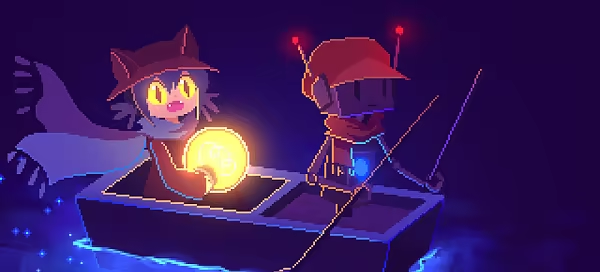
OneShot is a surreal top down Puzzle/Adventure game with unique gameplay capabilities. You are to guide a child through a mysterious world on a mission to restore its long-dead sun. The world knows you exist.
OneShot: World Machine Edition
OneShot: World Machine Edition has made its way to Steam!
This new version places the game within a mock OS, the World Machine OS, allowing the game to be played not only on Windows PCs, but on Steam Deck as well.
It also features many new enhancements, such as upgraded graphics, new UI, full analog movement support, Character profile galleries, cutscene galleries, and much much more!
About the Game

A surreal puzzle adventure game with unique mechanics / capabilities.
You are to guide a child through a mysterious world on a mission to restore its long-dead sun.
...Of course, things are never that simple.
The world knows you exist.
The consequences are real.
Saving the world may be impossible.
You only have one shot.

FEATURES
- Gameplay mechanics that go beyond the game window.
- A haunting original soundtrack and artwork designed to match.
- A unique relationship between a game and its player.
- A lingering feeling that you're not getting the full story unless you know where to look.
CONTENT WARNING
Although OneShot is not a horror game in the traditional sense, parts of the game may induce some paranoia. Please proceed with caution.CLOSING THE GAME WINDOW
Do not worry, it is safe to do so. It only saves your progress.From the store page, unedited. May contain spoilers.
This release
Reviews and playtime
Overwhelmingly Positive
98% of 60,270
The game
Genres and features
How to install OneShot
Pre-installed, so there is no setup wizard. Follow these in order.
- 01
Create a games folder
Make a folder like C:\Games\ and keep every game in it. Avoid Program Files, Downloads and the Desktop.
- 02
Exclude it from Windows Defender
Defender often deletes cracked files by mistake while they extract. Add C:\Games\ as an excluded folder:
Windows Security -> Virus & threat protection -> Manage settings -> Exclusions -> Add an exclusion -> Folder
- 03
Download into C:\Games\
Save the archive straight into that folder. This release is one 640.2MB file.
- 04
Extract it there
Use 7-Zip or WinRAR. Keep about 1.4 GB free while it unpacks.
- One file
- Right-click it -> Extract here.
- Several parts
- Extract only part1 (or .001). The other parts are read automatically.
- 05
Open README.html
It is inside the extracted folder and explains how to start the game.
Still stuck? Read the install help
Download
Set up your games folder and the Defender exclusion before you extract. The Install tab has the steps.
FileDitch
The whole game in one file
VikingFile
The whole game in one file
Gofile (legacy)
The whole game in one file
We don't accept fix requests when only one host is down. Please use another mirror above. Links broken? Let us know.
We never password-protect files or hide installers. If a page asks for a password or payment, that is the host's ad, not us. See our safety guide.
System requirements
- Min
- Windows Vista or later
- Rec
- -
- Min
- OpenGL 2.1 compatible
- Rec
- -
4 GB RAM
These are the developer's listed requirements and may not be 100% accurate. If your specs fall below the minimum, try the game anyway; many games run fine below the listed requirements. When in doubt, check YouTube for performance benchmarks.