PAPERHEAD
Paperhead te4m2026Shooter, Horror
4.7GBBuild 25829881Updated 49 days ago
About PAPERHEAD
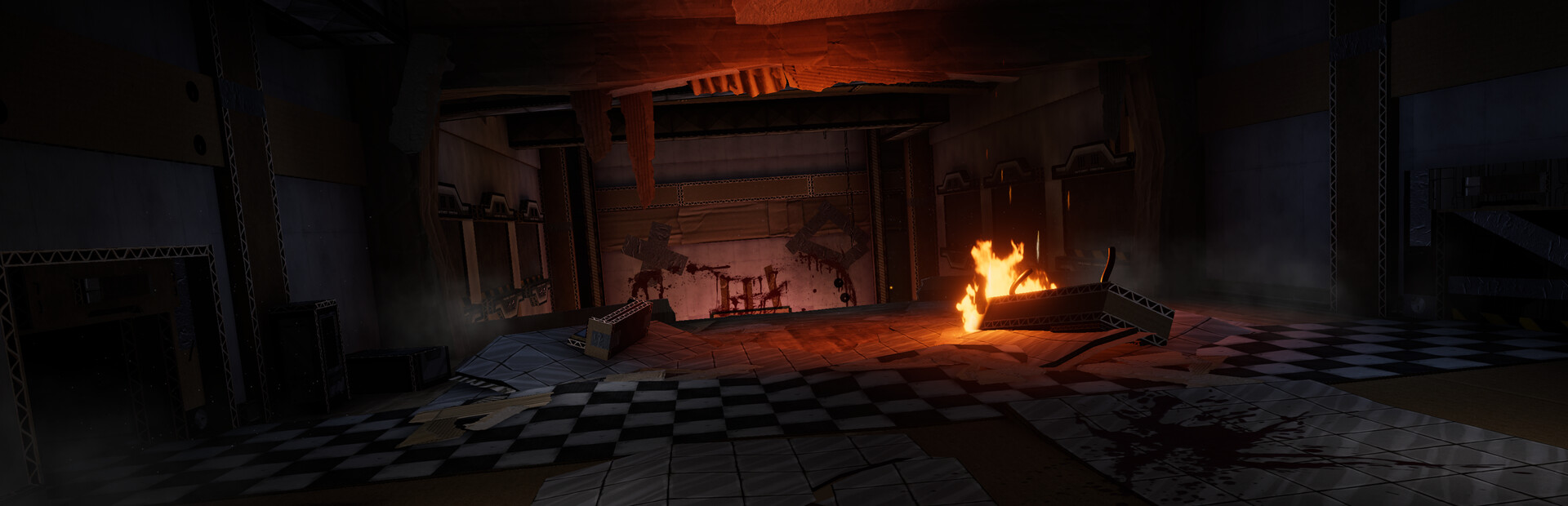
In the cute cardboard world, something went horribly wrong... Use the magical pencil, a good old shotgun, and various other weapons as well as the strength of your mighty boots, to uncover the dark truth and find out WHY WOULD CARDBOARD... BLEED?
In the cute cardboard world, something went horribly wrong.
Explore the abandoned research facility and uncover the dark truth of
... WHY WOULD CARDBOARD... BLEED?
BRUTAL AND SWIFT COMBAT
- Toss enemies into the air, kick exploding barrels at them, and jump on their heads like an Italian plumber!
- Or simply blast them to smithereens with a shotgun!

DRAW YOUR WAY OUT OF [REDACTED]
The pencil - is not only your weapon but a tool to change the world around you.- Sketch bombs to kick them at your enemies!
- Draw doors to kick down!
- Write ██████ words on walls – no reason needed!

CUTE... BUT SCARY
A charming and cute cardboard world... with more meat than expected. Even paper can instill fear!
PAPER CAN BE TOUGHER THAN METAL
An industrial soundtrack that will pump high-octane cardboard through your veins.Go ahead and find out...
WHY WOULD CARDBOARD... BLEED?

P.S. And please don’t cut your fingers in the process! :-)
From the store page, unedited. May contain spoilers.
This release
Reviews and playtime
Overwhelmingly Positive
96% of 894
The game
Genres and features


How to install PAPERHEAD
Pre-installed, so there is no setup wizard. Follow these in order.
- 01
Create a games folder
Make a folder like C:\Games\ and keep every game in it. Avoid Program Files, Downloads and the Desktop.
- 02
Exclude it from Windows Defender
Defender often deletes cracked files by mistake while they extract. Add C:\Games\ as an excluded folder:
Windows Security -> Virus & threat protection -> Manage settings -> Exclusions -> Add an exclusion -> Folder
- 03
Download into C:\Games\
Save the archive straight into that folder. This release is one 4.7GB file.
- 04
Extract it there
Use 7-Zip or WinRAR. Keep about 10.3 GB free while it unpacks.
- One file
- Right-click it -> Extract here.
- Several parts
- Extract only part1 (or .001). The other parts are read automatically.
- 05
Open README.html
It is inside the extracted folder and explains how to start the game.
Still stuck? Read the install help
Download
Set up your games folder and the Defender exclusion before you extract. The Install tab has the steps.
VikingFile
The whole game in one file
Gofile (legacy)
The whole game in one file
We don't accept fix requests when only one host is down. Please use another mirror above. Links broken? Let us know.
We never password-protect files or hide installers. If a page asks for a password or payment, that is the host's ad, not us. See our safety guide.
System requirements
- Min
- Windows 7 64-bit or later
- Rec
- Windows 10 64-bit
- Min
- Requires a 64-bit processor and operating system
- Rec
- 2.4 GHZ Quad Core Processor Or Higher
- Min
- 2 GB RAM
- Rec
- 4 GB RAM
- Min
- GeForce 9800GT Or Equivalent
- Rec
- Geforce GTX 460 Or Equivalent
- Min
- Version 9.0
- Rec
- Version 11
- Min
- 2 GB available space
- Rec
- 3 GB available space
Any
These are the developer's listed requirements and may not be 100% accurate. If your specs fall below the minimum, try the game anyway; many games run fine below the listed requirements. When in doubt, check YouTube for performance benchmarks.