Pekoe
Kitten Cup Studio2023Interactive Fiction, Life Sim
483.7 MBBuild 20387995Updated 117 days ago
About Pekoe
Blend tea and friendship in the flavourful world of Pekoe, a cozy cat-filled tea-making simulator about taking the time for self-care and connecting with what makes you happy. Build relationships, upgrade your teahouse, and discover new recipes as you work towards creating a place you can call home.

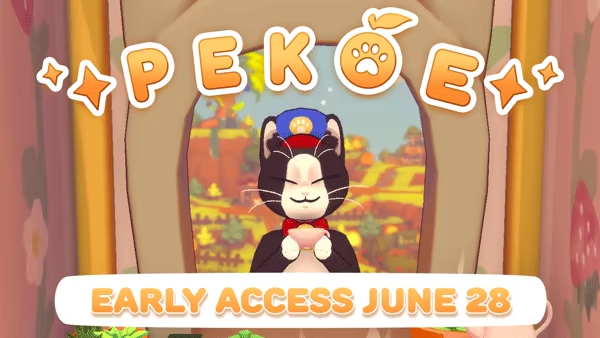
As the newest resident and teahouse owner in town, you’ll learn everything there is to tea.
Learn new rituals and tea-making styles to make an endless combination of recipes. Build relationships with the townsfolk, and visit their teahouses to purchase exclusive teaware and ingredients.

There are over 10 unique characters in town for you to get to know, with 7 distinct teahouses to visit, and endless tea combinations to try! Make tea in a number of different styles and teaware, and choose what to serve the townsfolk and customers (but don't forget, they all have their own likes and dislikes!).


Starting a new life in an old teahouse can come with its own challenges, but it's nothing a bit of fresh paint, hard work, and a few cups of tea can't fix! Upgrade and customize your teahouse with your own choice of decor, and unlock new items from the townsfolk to help in your tea-making endeavors.


Having tea together is more than just a drink, it's a chance to get to spend time together-- you'll learn what tea means to others through various rituals, ceremonies, and one-on-one conversations.

From the store page, unedited. May contain spoilers.
This release
Reviews and playtime
Very Positive
81% of 130
The game
Genres and features
How to install Pekoe
Pre-installed, so there is no setup wizard. Follow these in order.
- 01
Create a games folder
Make a folder like C:\Games\ and keep every game in it. Avoid Program Files, Downloads and the Desktop.
- 02
Exclude it from Windows Defender
Defender often deletes cracked files by mistake while they extract. Add C:\Games\ as an excluded folder:
Windows Security -> Virus & threat protection -> Manage settings -> Exclusions -> Add an exclusion -> Folder
- 03
Download into C:\Games\
Save the archive straight into that folder. This release is one 483.7 MB file.
- 04
Extract it there
Use 7-Zip or WinRAR. Keep about 1.0 GB free while it unpacks.
- One file
- Right-click it -> Extract here.
- Several parts
- Extract only part1 (or .001). The other parts are read automatically.
- 05
Open README.html
It is inside the extracted folder and explains how to start the game.
Still stuck? Read the install help
Download
Set up your games folder and the Defender exclusion before you extract. The Install tab has the steps.
FileDitch
The whole game in one file
FileQ
The whole game in one file
Pixeldrain
The whole game in one file
Pixeldrain slows free downloads to a few MB/s. The Copy fast link button gives you a bypass link with no speed limit. Paste it into your download manager, or into your browser's address bar.
We don't accept fix requests when only one host is down. Please use another mirror above. Links broken? Let us know.
We never password-protect files or hide installers. If a page asks for a password or payment, that is the host's ad, not us. See our safety guide.