Pronty
18Light Game Ltd.2021Metroidvania, Action
1.6GBBuild 14019792Updated 19 days ago
About Pronty
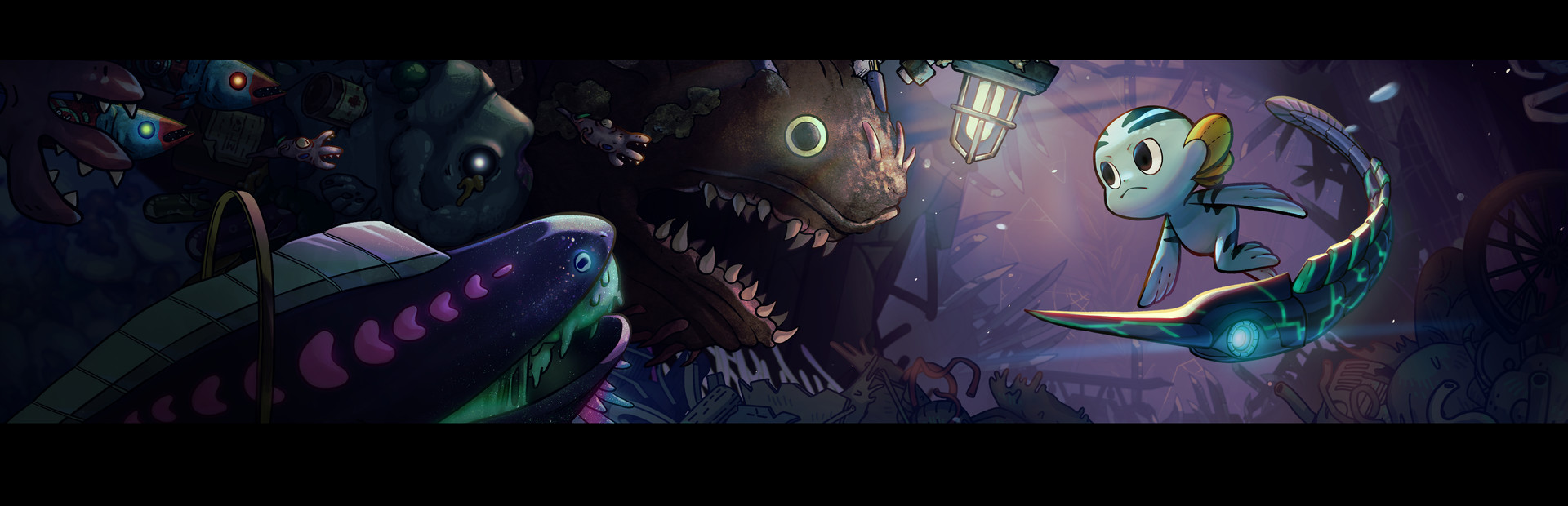
Guide Pronty and its Javelin partner Bront as it defends the once great city of Royla. Explore the deep sea, fight mutant sea creatures, and discover the secrets behind this new Atlantis in this beautiful action-packed adventure.
ADD IN WISHLIST!
About the Game

Unique “javelin” combat system
Control the inexperienced Pronty and Bront the Javelin, a weaponized robotic swordfish that can fend off the sea creatures corrupted by toxic waste. Use Bront to repel enemies, remove obstacles, and shield Pronty from harm.
A terrifying array of hostile and mutated sea life
Encounter all sorts of creatures formed from a ghastly fusion of sea critters and marine debris. While some might look easy to defeat, there’s always a bigger fish…Fight giant bosses to bring back hope to the once-thriving Royla and reveal the truth behind the monsters and pollution.
Swappable upgrades for customized combat
Unlock new abilities and upgrades in Pronty’s Memory Board to put together strategies that work for every situation and play style.
Explore this magnificent but perilous underwater city
Explore the fallen underwater city, Royla, in an underwater Metroidvania experience.
Magnificent and immersive underwater environments
Swim through a magnificently terrifying atmosphere, designed with a colorful, clean line art style to depict the mysterious underwater world. Experience sound and music by Behind the Screen composer Paul Su.Challenge all difficulty and Boss Rush mode
Replay again and again, with post-launch updates including the boss rush mode in Neptune’s Hall.FOLLOW US ON DISCORD
From the store page, unedited. May contain spoilers.
This release
Reviews and playtime
Very Positive
91% of 1,104
The game
Genres and features
How to install Pronty
Pre-installed, so there is no setup wizard. Follow these in order.
- 01
Create a games folder
Make a folder like C:\Games\ and keep every game in it. Avoid Program Files, Downloads and the Desktop.
- 02
Exclude it from Windows Defender
Defender often deletes cracked files by mistake while they extract. Add C:\Games\ as an excluded folder:
Windows Security -> Virus & threat protection -> Manage settings -> Exclusions -> Add an exclusion -> Folder
- 03
Download into C:\Games\
Save the archive straight into that folder. This release is one 1.6GB file.
- 04
Extract it there
Use 7-Zip or WinRAR. Keep about 3.5 GB free while it unpacks.
- One file
- Right-click it -> Extract here.
- Several parts
- Extract only part1 (or .001). The other parts are read automatically.
- 05
Open README.html
It is inside the extracted folder and explains how to start the game.
Still stuck? Read the install help
Download
Set up your games folder and the Defender exclusion before you extract. The Install tab has the steps.
FilesYard
The whole game in one file
FileDitch
The whole game in one file
VikingFile
The whole game in one file
We don't accept fix requests when only one host is down. Please use another mirror above. Links broken? Let us know.
We never password-protect files or hide installers. If a page asks for a password or payment, that is the host's ad, not us. See our safety guide.
System requirements
- Min
- Windows 7
- Rec
- Windows 10
- Min
- Intel Core i3
- Rec
- Intel Core i5
- Min
- 4 GB RAM
- Rec
- 8 GB RAM
- Min
- Nvidia GTX 920 | AMD R7 370
- Rec
- Nvidia GTX 970 | AMD RX 570
- Min
- Version 11
- Rec
- Version 12
- Min
- 5 GB available space
- Rec
- 10 GB available space
These are the developer's listed requirements and may not be 100% accurate. If your specs fall below the minimum, try the game anyway; many games run fine below the listed requirements. When in doubt, check YouTube for performance benchmarks.