
Prospector
Loonworks Games2025Sandbox, Adventure
532.1 MBBuild 19725548Updated 175 days ago
About Prospector
Land on a distant planet in this chill resource management game. Harvest alien resources, build and automate machinery, uncover secrets across the stars and strike shipping deals with distant colonies for exclusive rewards!

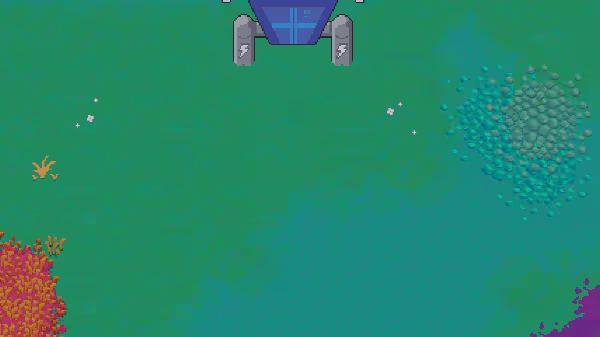
Land on an alien world with nothing but your wits, your tools, and your drive to thrive. Build,
explore, and automate in this sci-fi resource management game.

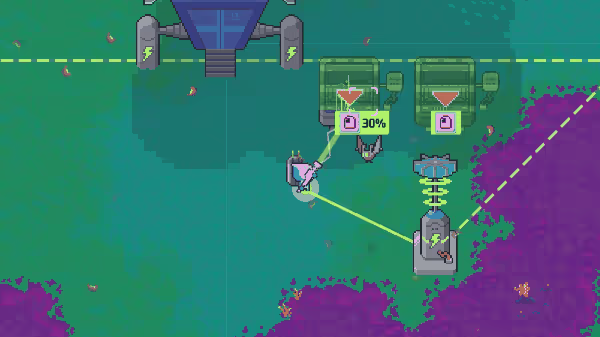
From humble beginnings to a sprawling space base! Construct your base from scratch using
anything you can find - from primitive resources to unknown alien materials. Unlock
blueprints, optimize your workflow with automation, and push deeper into outer space!

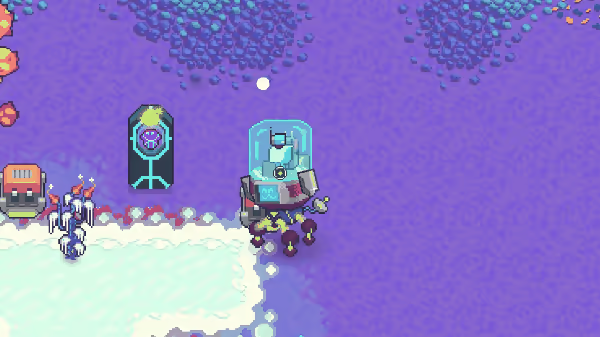
Uncover the mysteries of distant worlds. From ancient relics to strange ecosystems, each
planet holds its own set of secrets.

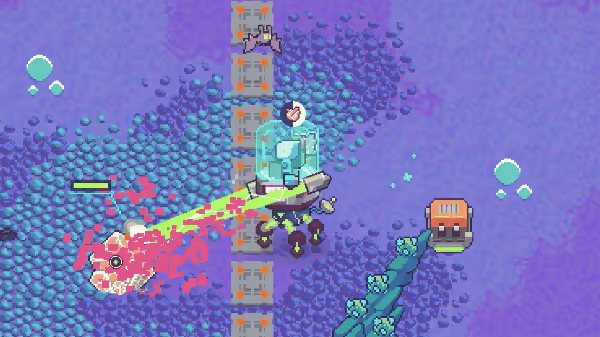
Not every species welcomes visitors. Hostile wildlife and territorial species won’t let you
exploit their planet without a fight - have your loyal robot companion O.P.H.E.L.I.A and laser
guns at hand!


Discover colonies across the stellar system and participate in intergalactic cooperation. Aid
them, trade with them, or learn from them as you discover your place in the galaxy.
From the store page, unedited. May contain spoilers.
This release
Reviews and playtime
Mixed
64% of 112
The game
Genres and features
How to install Prospector
Pre-installed, so there is no setup wizard. Follow these in order.
- 01
Create a games folder
Make a folder like C:\Games\ and keep every game in it. Avoid Program Files, Downloads and the Desktop.
- 02
Exclude it from Windows Defender
Defender often deletes cracked files by mistake while they extract. Add C:\Games\ as an excluded folder:
Windows Security -> Virus & threat protection -> Manage settings -> Exclusions -> Add an exclusion -> Folder
- 03
Download into C:\Games\
Save the archive straight into that folder. This release is one 532.1 MB file.
- 04
Extract it there
Use 7-Zip or WinRAR. Keep about 1.1 GB free while it unpacks.
- One file
- Right-click it -> Extract here.
- Several parts
- Extract only part1 (or .001). The other parts are read automatically.
- 05
Open README.html
It is inside the extracted folder and explains how to start the game.
Still stuck? Read the install help
Download
Set up your games folder and the Defender exclusion before you extract. The Install tab has the steps.
FileDitch
The whole game in one file
FileQ
The whole game in one file
Gofile (legacy)
The whole game in one file
We don't accept fix requests when only one host is down. Please use another mirror above. Links broken? Let us know.
We never password-protect files or hide installers. If a page asks for a password or payment, that is the host's ad, not us. See our safety guide.
System requirements
- Min
- Windows 7 and above
- Min
- 1.2Ghz
- Min
- 1024 MB RAM
- Min
- 512 MB
- Min
- 500 MB available space
These are the developer's listed requirements and may not be 100% accurate. If your specs fall below the minimum, try the game anyway; many games run fine below the listed requirements. When in doubt, check YouTube for performance benchmarks.