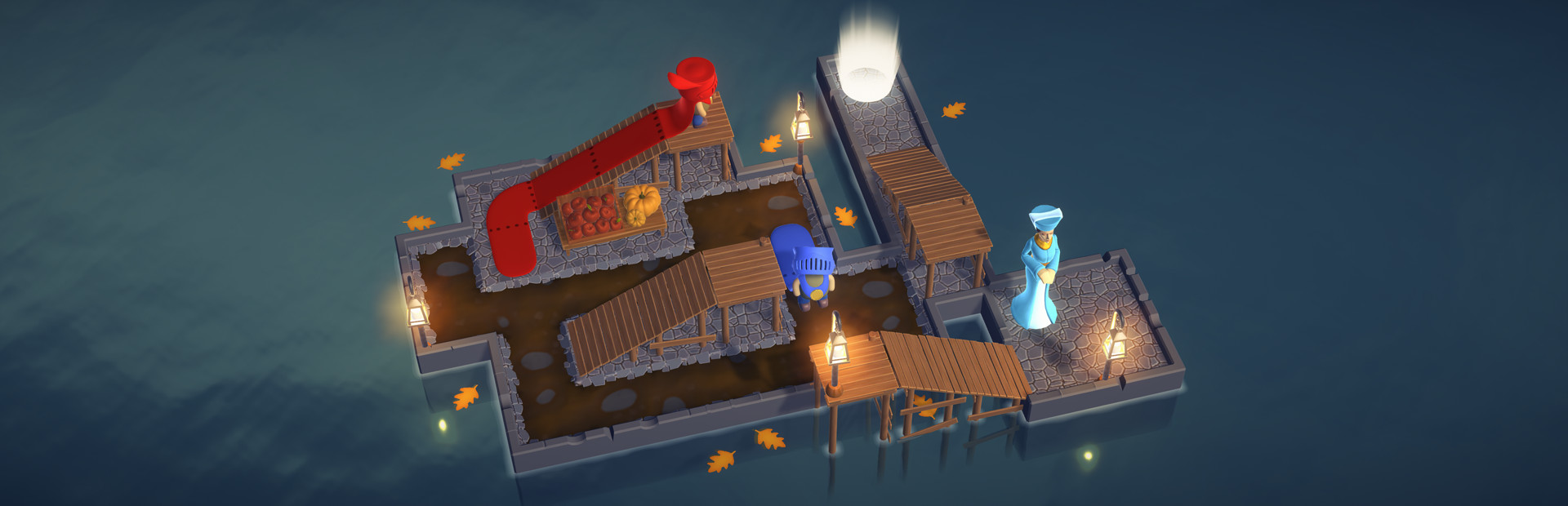
Puddle Knights
Lockpickle2020Puzzle, Strategy
195.2MBBuild 16824613Updated 16 days ago
About Puddle Knights
Protecting nobles from mud may look simple on the surface, but the intricate cape arranging puzzle mechanics ensure steadily increasing difficulty. Join the Knights on their quest to preserve dignity, and mindmuck is practically guaranteed! Playtime 10-35h.
-- Arvi Teikari, developer of Baba Is You
Puddle Knights is a puzzle game about wits, chivalry and mud. In the game, valiant knights of varying cape lengths assist Ladies and Bishops across mud formations that threaten to dirty their precious hems. As the motto of the Order of the Puddle Knights says: a badly designed sanitation system gives ample opportunity for heroism!

As the player, you will coordinate the movement of both the Knights and their less mud-resistant superiors with the goal of escorting them to their designated exit. To achieve this noble purpose, no sacrifice is too great: capes will tear and heads will be stepped on. However, it is your head that will be doing most of the heavy lifting in these puddle puzzles!
Key features:
- 100+ head-scratching levels of increasing difficulty
- Step on heads
- Tear up capes, hold down drawbridges and perform other inventive tactical maneuvers
- A fresh take on logic puzzles: no pressure plates, keys to collect or boxes to push
- Mistake-making and experimentation enabled by Undo and Reset functions
- No rush: all the time in the world to think and analyze

Time to protect some dignity!
From the store page, unedited. May contain spoilers.
This release
Reviews and playtime
Very Positive
97% of 224
The game
Genres and features
How to install Puddle Knights
Pre-installed, so there is no setup wizard. Follow these in order.
- 01
Create a games folder
Make a folder like C:\Games\ and keep every game in it. Avoid Program Files, Downloads and the Desktop.
- 02
Exclude it from Windows Defender
Defender often deletes cracked files by mistake while they extract. Add C:\Games\ as an excluded folder:
Windows Security -> Virus & threat protection -> Manage settings -> Exclusions -> Add an exclusion -> Folder
- 03
Download into C:\Games\
Save the archive straight into that folder. This release is one 195.2MB file.
- 04
Extract it there
Use 7-Zip or WinRAR. Keep about 429.4 MB free while it unpacks.
- One file
- Right-click it -> Extract here.
- Several parts
- Extract only part1 (or .001). The other parts are read automatically.
- 05
Open README.html
It is inside the extracted folder and explains how to start the game.
Still stuck? Read the install help
Download
Set up your games folder and the Defender exclusion before you extract. The Install tab has the steps.
FilesYard
The whole game in one file
FileDitch
The whole game in one file
VikingFile
The whole game in one file
We don't accept fix requests when only one host is down. Please use another mirror above. Links broken? Let us know.
We never password-protect files or hide installers. If a page asks for a password or payment, that is the host's ad, not us. See our safety guide.
System requirements
- Min
- Windows 7 SP1 or newer
- Rec
- Windows 10
- Min
- SSE2 instruction set support
- Rec
- -
- Min
- 4 GB RAM
- Rec
- -
- Min
- 1024 MB NVIDIA or AMD graphics card, Intel HD graphics 4000 or better
- Rec
- NVIDIA GeForce 660, or AMD Radeon RX 470 or better
- Min
- Version 11
- Rec
- -
- Min
- 500 MB available space
- Rec
- -
These are the developer's listed requirements and may not be 100% accurate. If your specs fall below the minimum, try the game anyway; many games run fine below the listed requirements. When in doubt, check YouTube for performance benchmarks.