Put Back Stuff
Shellbunny2026Casual, Simulation
169.8MBBuild 26397641Updated 22 days ago
About Put Back Stuff
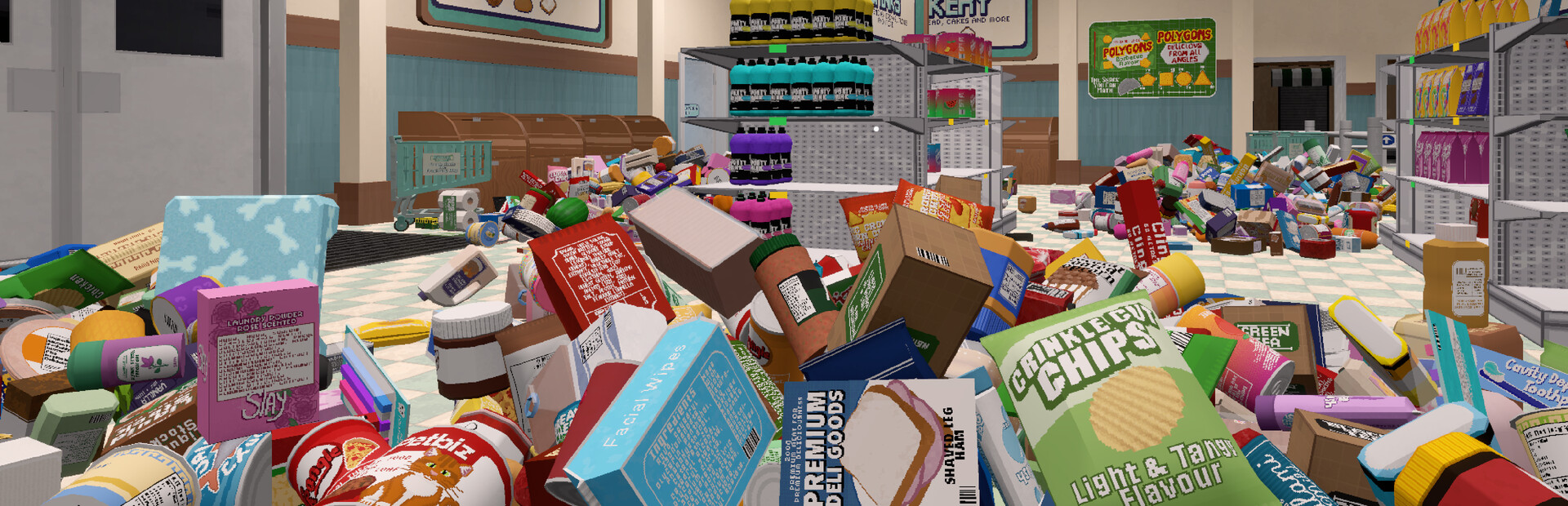
Put Back Stuff is a cozy organisation simulator where you put items back where they belong. Enjoy meditative, play at your pace organisation.
Put Back Stuff is a cozy organisation game about taking a terrible mess and tidying it up with satisfying sounds and feedback.
Pick up an item, figure out where it belongs, and put it back where you want it to be within the category. That’s it. No rushing; just thousands of misplaced objects, plenty of empty shelves, and the quiet satisfaction of watching chaos slowly become order. You have labels at your disposal if you're a planner, collectibles to gather and mess to fix. You can use abilities to work faster or take your time.
How you play is up to you.
Put Back Stuff is a game that has room to grow. More levels are being worked on and planned across different themes, so there'll always be more to tidy!

Restore an Australian supermarket filled with more than 5,000 placeable items over 300 unique shelves. Sort products into their correct departments, group matching items together, and gradually uncover the floor beneath the mess. Discover local products and lost property collectibles.

Note: Image shows early development of the Craft Store map. This is not representative of the final product. For updates on this, check back later.
Take on a craft store containing more than 2,000 placeable items. Sort paint, yarn and fabrics, restore the displays, and confront the important question: should wool be organised by colour or by ply or texture?
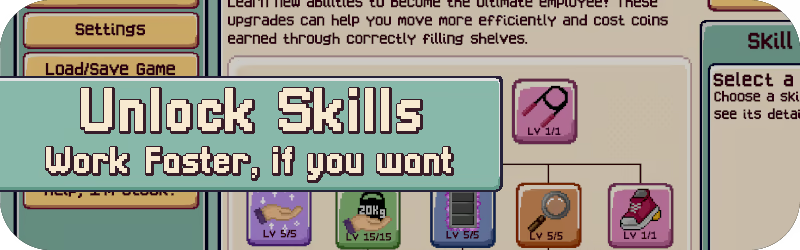
Organising thousands of products is a big job, but you won’t have to do everything the hard way.
Earn coins as you restore the levels, then spend them in the Training Module Skill System to unlock and improve useful abilities. Summon missing objects, run faster, locate the shelves things belong on, carry more at once, and become the highly trained employee you were always meant to be.

You might stumble across some 'lost property' on levels. These fun trinkets are an extra bonus and can be hard to find. Can you locate them?

You can place up to 100 sticky notes per level on any surface. Will you plan out your shelves in advance or use them to document your descent into organising insanity?
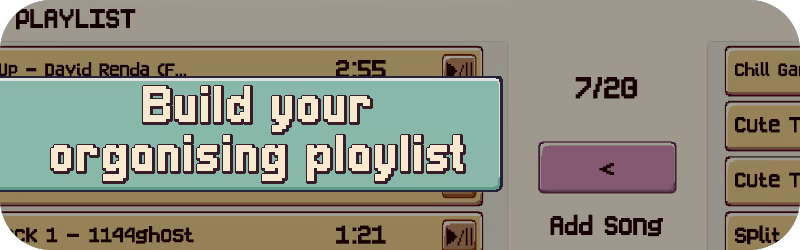
Customize your own playlist in game so your soundtrack suits your vibe. Want some relaxing lo-fi or something a little more upbeat? We have options!
Features
Cozy, low-pressure organisation gameplay. Play how you want to.
Accessibility options include colour blindness modes, motion sickness reduction measures, unlock toggles and fully rebindable key systems.
'Put Back Stuff' is theme neutral - so the levels we create can come from any inspiration.
Thousands of silly products in a colourful, low-poly world with pixel art textures made specifically for 'Put Back Stuff'.
Unlockable abilities and upgrades
Clear, satisfying visual progress as every shelf fills
No AI used in the creation of this project. Just one artist/developer and a boat load of caffeine.
Family friendly.
There’s a place for everything.
From the store page, unedited. May contain spoilers.
This release
Reviews and playtime
Very Positive
96% of 130
The game
Genres and features
How to install Put Back Stuff
Pre-installed, so there is no setup wizard. Follow these in order.
- 01
Create a games folder
Make a folder like C:\Games\ and keep every game in it. Avoid Program Files, Downloads and the Desktop.
- 02
Exclude it from Windows Defender
Defender often deletes cracked files by mistake while they extract. Add C:\Games\ as an excluded folder:
Windows Security -> Virus & threat protection -> Manage settings -> Exclusions -> Add an exclusion -> Folder
- 03
Download into C:\Games\
Save the archive straight into that folder. This release is one 169.8MB file.
- 04
Extract it there
Use 7-Zip or WinRAR. Keep about 373.6 MB free while it unpacks.
- One file
- Right-click it -> Extract here.
- Several parts
- Extract only part1 (or .001). The other parts are read automatically.
- 05
Open README.html
It is inside the extracted folder and explains how to start the game.
Still stuck? Read the install help
Download
Set up your games folder and the Defender exclusion before you extract. The Install tab has the steps.
FilesYard
The whole game in one file
FileDitch
The whole game in one file
VikingFile
The whole game in one file
We don't accept fix requests when only one host is down. Please use another mirror above. Links broken? Let us know.
We never password-protect files or hide installers. If a page asks for a password or payment, that is the host's ad, not us. See our safety guide.
System requirements
- Min
- Intel Core i5
- Rec
- Intel Core i7
- Min
- 8 GB RAM
- Rec
- 16 GB RAM
- Min
- GTX 960 or equivalent
- Rec
- GTX 1070 or equivalent
Windows 10
Version 12
6 GB available space
These are the developer's listed requirements and may not be 100% accurate. If your specs fall below the minimum, try the game anyway; many games run fine below the listed requirements. When in doubt, check YouTube for performance benchmarks.