
shapez
Tobias Springer2020Sandbox, Strategy
441.6MBBuild 25141266Updated 23 days ago
About shapez
shapez is an easy-going, minimalistic factory building game about the automation of shapes through extraction and satisfying production lines. Adapt to increasingly complex shapes and grow your factory across an infinitely expanding map. Your only limitation is your creativity!
Try the shapez Demo!
Give the game a go for free with the shapez Demo! Play through the game until level 7 to get a feel for the game before you unlock the full version. You can continue building your Demo factory!
Special Offer
shapez Complete Franchise Bundle
Celebrate the shapez 2 - 1.0 launch; bundle both games and DLC to save an extra 10%!

About the Game
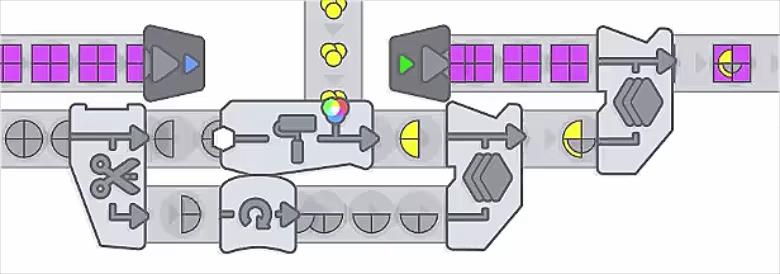
shapez is a low-stakes factory building game all about the automation of shapes production. Extract basic shapes with miners, cut them into segments and combine them into brand-new, unique shapes. Stack multiple layers of different shapes on top of each other & deliver them to the HUB to advance!

As you progress, new buildings are unlocked and the required shapes become more complex. Extract paint and use them to color your shapes. Spread out across the infinite sandbox to acquire different shapes and increase your production.

Leverage copy-paste tools to massively expand your factory as demand increases and shapes get more complex. Mix paint to create new colors, stack many layers of shapes and increase throughput as necessary. After all, it’s not an idle game!
Get creative with optional wiring & logic to optimize your factory to your liking and maybe even make a powerful machine that can make every shape possible.

With no enemies, timers or resource limits to worry about, shapez is a game that allows you to take on factory building at your own pace while progressively tackling more complex levels, if you’re looking for a challenge.
From the store page, unedited. May contain spoilers.
This release
Reviews and playtime
Overwhelmingly Positive
96% of 14,438

How to install shapez
Pre-installed, so there is no setup wizard. Follow these in order.
- 01
Create a games folder
Make a folder like C:\Games\ and keep every game in it. Avoid Program Files, Downloads and the Desktop.
- 02
Exclude it from Windows Defender
Defender often deletes cracked files by mistake while they extract. Add C:\Games\ as an excluded folder:
Windows Security -> Virus & threat protection -> Manage settings -> Exclusions -> Add an exclusion -> Folder
- 03
Download into C:\Games\
Save the archive straight into that folder. This release is one 441.6MB file.
- 04
Extract it there
Use 7-Zip or WinRAR. Keep about 971.5 MB free while it unpacks.
- One file
- Right-click it -> Extract here.
- Several parts
- Extract only part1 (or .001). The other parts are read automatically.
- 05
Open README.html
It is inside the extracted folder and explains how to start the game.
Still stuck? Read the install help
Download
Set up your games folder and the Defender exclusion before you extract. The Install tab has the steps.
FilesYard
The whole game in one file
VikingFile
The whole game in one file
We don't accept fix requests when only one host is down. Please use another mirror above. Links broken? Let us know.
We never password-protect files or hide installers. If a page asks for a password or payment, that is the host's ad, not us. See our safety guide.
System requirements
- Min
- 2 Ghz or faster
- Rec
- -
- Min
- 2048 MB RAM
- Rec
- 4096 MB RAM
- Min
- Any
- Rec
- Dedicated Graphics Card
- Min
- 300 MB available space
- Rec
- -
Windows 10 64bit
These are the developer's listed requirements and may not be 100% accurate. If your specs fall below the minimum, try the game anyway; many games run fine below the listed requirements. When in doubt, check YouTube for performance benchmarks.