
Shinehill
Peach Bite2026RPG, Dating Sim
1.0GBBuild 26225638Updated 27 days ago
About Shinehill
Yet again they dumped the toughest job on you. Now you are on Shinehill Island, where you suddenly replaced one of the new residents. Explore the world, meet charming townspeople, do farming, fishing, cooking and try not to reveal yourself.
Being a spy on an unfamiliar planet, anyone would have been greeted with hostility, but you were incredibly lucky! Trusting locals mistook you for a new neighbor and provided you with a house and a plot of land to live on.

You'll have to help out the locals: learn their stories, make "friends" or even something more.

Win favour of the villagers, impress them with your achievements.
Become a champion fisherman by showing patience and wits.
Engage in farming and grow various crops.
Descend and explore the long-abandoned dungeons that hide secrets of the island.
Show off your culinary skills by cooking flavourful dishes.

What drew attention of the command to this planet? Is this really a paradise island, or is its allure merely a deceptive facade?
Get to know your new friends better and find the one who really holds a threat to everyone.
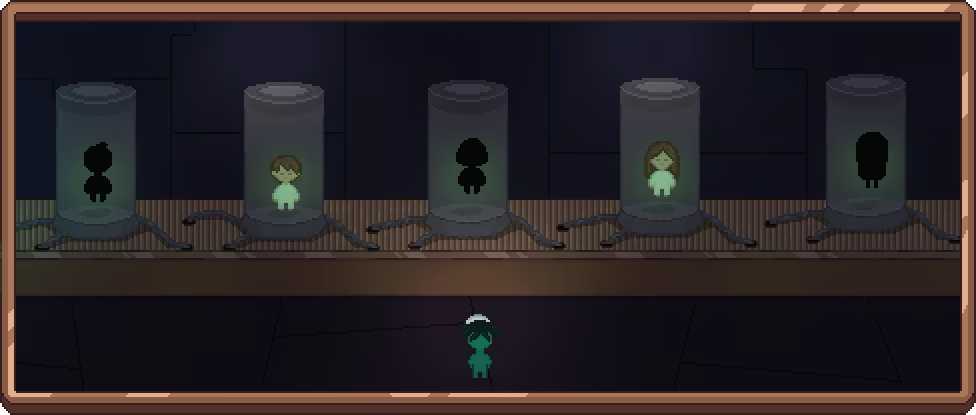
From the store page, unedited. May contain spoilers.
This release
Reviews and playtime
Very Positive
95% of 286
The game
Genres and features
How to install Shinehill
Pre-installed, so there is no setup wizard. Follow these in order.
- 01
Create a games folder
Make a folder like C:\Games\ and keep every game in it. Avoid Program Files, Downloads and the Desktop.
- 02
Exclude it from Windows Defender
Defender often deletes cracked files by mistake while they extract. Add C:\Games\ as an excluded folder:
Windows Security -> Virus & threat protection -> Manage settings -> Exclusions -> Add an exclusion -> Folder
- 03
Download into C:\Games\
Save the archive straight into that folder. This release is one 1.0GB file.
- 04
Extract it there
Use 7-Zip or WinRAR. Keep about 2.2 GB free while it unpacks.
- One file
- Right-click it -> Extract here.
- Several parts
- Extract only part1 (or .001). The other parts are read automatically.
- 05
Open README.html
It is inside the extracted folder and explains how to start the game.
Still stuck? Read the install help
Download
Set up your games folder and the Defender exclusion before you extract. The Install tab has the steps.
FilesYard
The whole game in one file
FileDitch
The whole game in one file
VikingFile
The whole game in one file
We don't accept fix requests when only one host is down. Please use another mirror above. Links broken? Let us know.
We never password-protect files or hide installers. If a page asks for a password or payment, that is the host's ad, not us. See our safety guide.
System requirements
- Min
- Windows 7/8/8.1/10 x86/x64
- Min
- Intel Core i3-3240, AMD FX-4300
- Min
- 4 GB RAM
- Min
- GeForce GTX 560 Ti (1GB), Radeon HD 7750 (1GB)
- Min
- 1 GB available space
These are the developer's listed requirements and may not be 100% accurate. If your specs fall below the minimum, try the game anyway; many games run fine below the listed requirements. When in doubt, check YouTube for performance benchmarks.