Silly Suspects
Classy Games2026Mystery, Puzzle
349 MBBuild 24628869Updated 112 days ago
About Silly Suspects
Play as a detective in this comical guess-who mystery. Investigate absurd crimes in a weird and wacky world. Question suspects, learn their habits, and rule them out one by one until you uncover the truth hiding beneath all the nonsense
Solve ridiculous crimes in a world where every suspect is completely unhinged


Start each case by examining the scene
Look for clues among a collection of completely unhelpful objects, from banana peels to broken printers
Somehow, it all matters


Meet a cast of endlessly unique suspects
Learn their quirks, their fears, and their questionable life choices
The more you understand them, the easier it is to rule them out… or not

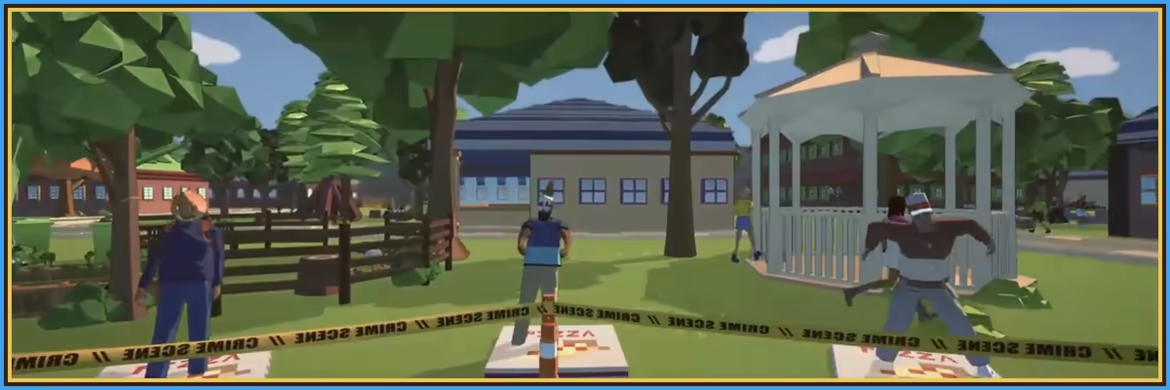
Use what you've learned to rule out suspects one by one
Cross-reference clues, pay attention to details, and narrow it down
Eventually, only one suspect remains

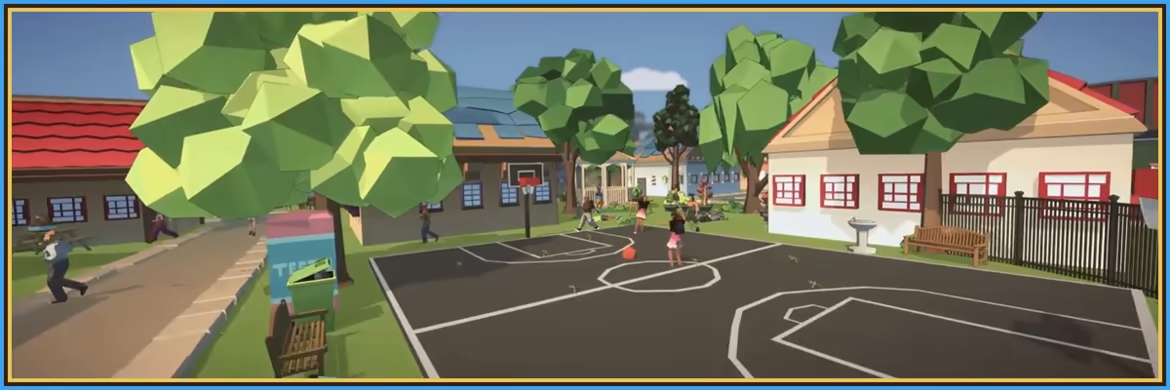
Step into a world of pure nonsense
People wander, dance, argue, and behave in ways that don't entirely make sense
Everyone you meet is bizarre, unpredictable, and just a little bit suspicious

Absurd, comedy-driven detective gameplay
No two cases are exactly the same
Endless unique suspects and mysteries
Silly minigames to earn trust
Deduction-based gameplay inspired by Guess Who
A strange, living world full of surprises
From the store page, unedited. May contain spoilers.
This release
Reviews and playtime
Positive
83% of 18
The game
Genres and features
How to install Silly Suspects
Pre-installed, so there is no setup wizard. Follow these in order.
- 01
Create a games folder
Make a folder like C:\Games\ and keep every game in it. Avoid Program Files, Downloads and the Desktop.
- 02
Exclude it from Windows Defender
Defender often deletes cracked files by mistake while they extract. Add C:\Games\ as an excluded folder:
Windows Security -> Virus & threat protection -> Manage settings -> Exclusions -> Add an exclusion -> Folder
- 03
Download into C:\Games\
Save the archive straight into that folder. This release is one 349 MB file.
- 04
Extract it there
Use 7-Zip or WinRAR. Keep about 767.8 MB free while it unpacks.
- One file
- Right-click it -> Extract here.
- Several parts
- Extract only part1 (or .001). The other parts are read automatically.
- 05
Open README.html
It is inside the extracted folder and explains how to start the game.
Still stuck? Read the install help
Download
Set up your games folder and the Defender exclusion before you extract. The Install tab has the steps.
FileDitch
The whole game in one file
FileQ
The whole game in one file
Pixeldrain
The whole game in one file
Pixeldrain slows free downloads to a few MB/s. The Copy fast link button gives you a bypass link with no speed limit. Paste it into your download manager, or into your browser's address bar.
Gofile (legacy)
The whole game in one file
We don't accept fix requests when only one host is down. Please use another mirror above. Links broken? Let us know.
We never password-protect files or hide installers. If a page asks for a password or payment, that is the host's ad, not us. See our safety guide.
System requirements
- Min
- Windows 10
- Rec
- Windows 10 / 11 64-bit
- Min
- Intel Core i5-4460 / AMD Ryzen 3 1200
- Rec
- Intel Core i5-8400 / AMD Ryzen 5 2600
- Min
- 4 GB RAM
- Rec
- 8 GB RAM
- Min
- NVIDIA GTX 1050 Ti / AMD RX 560 (4 GB)
- Rec
- NVIDIA GTX 1060 6 GB / AMD RX 580 8 GB
Version 11
1 GB available space
These are the developer's listed requirements and may not be 100% accurate. If your specs fall below the minimum, try the game anyway; many games run fine below the listed requirements. When in doubt, check YouTube for performance benchmarks.