Snake Pass
Sumo Digital2017Simulation, Platformer
1.5GBBuild 2636762Updated 40 days ago
About Snake Pass
Slither, coil and climb your way to the top of Haven Tor in this one of a kind physics based, puzzle platform adventure from award winning independent studio Sumo Digital!

Think Like A Snake!
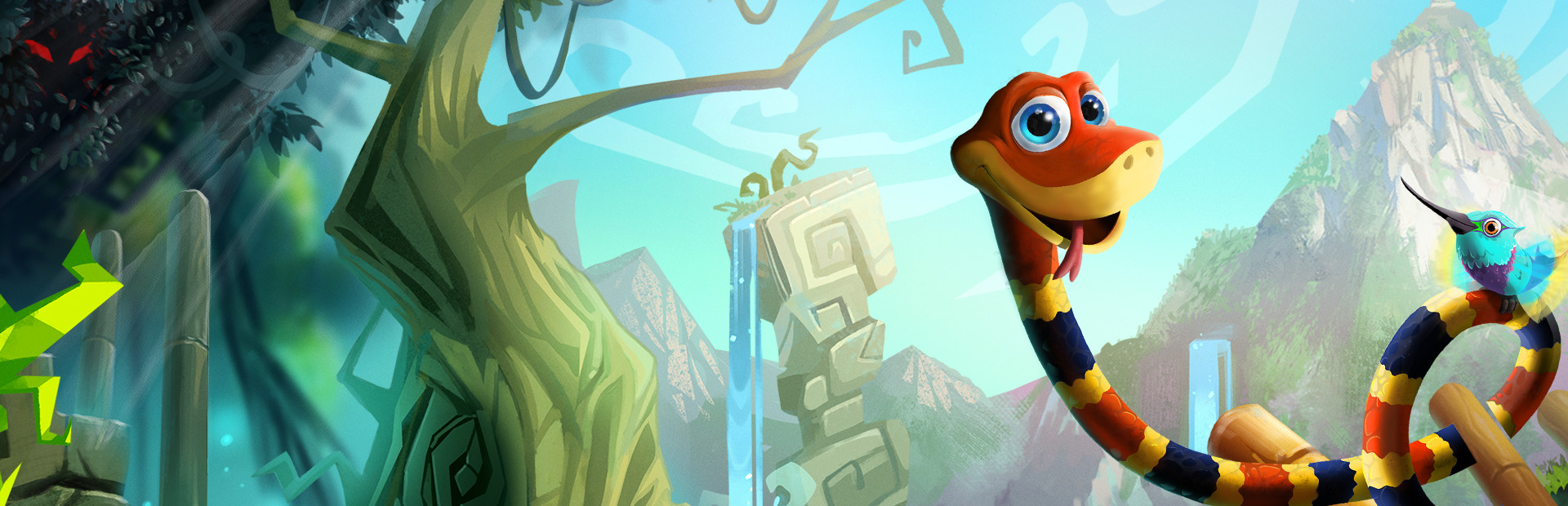
When the tranquillity of Haven Tor is interrupted by a mysterious interloper only the unlikeliest of heroes can save the day! Meet Noodle the Snake and his hyperactive best friend, Doodle the Hummingbird, who together must reunite the missing Keystones with the magical gates that give Haven Tor its mythical power. A unique, physics-based puzzle platform game, Snake Pass challenges players to ‘think like a snake’ as they tackle precarious puzzles as only a snake can. Slither through long grass, coil around bamboo and climb out of trouble in the latest game from award-winning independent studio Sumo Digital!- 15 brain bending, snake charming levels
- Master Noodle’s one-of-a-kind abilities
- Unravel the mystery of the nefarious gatecrasher
- Restore Haven Tor to its former glory
- Slither into every nook and cranny in search of cunning collectibles
- A brand-new soundtrack from fan favourite composer David Wise
- Unlock Time Trial mode and compete to be the slickest slitherer in the world
The winner of Sumo Digital’s inaugural Game Jam, Snake Pass was created by Seb Liese as a love letter to both the favourite games of his youth and his childhood pet snake. After winning, a full demo was produced and taken around various public shows where it was met with great enthusiasm by gamers of all ages. Buoyed by its success, full production began when the team returned home to Sumo HQ. The culmination has resulted in Snake Pass, a truly one of a kind game featuring the most unlikely of heroes; Noodle the Snake!
From the store page, unedited. May contain spoilers.
This release
Reviews and playtime
Very Positive
87% of 1,187
The game
Genres and features



How to install Snake Pass
Pre-installed, so there is no setup wizard. Follow these in order.
- 01
Create a games folder
Make a folder like C:\Games\ and keep every game in it. Avoid Program Files, Downloads and the Desktop.
- 02
Exclude it from Windows Defender
Defender often deletes cracked files by mistake while they extract. Add C:\Games\ as an excluded folder:
Windows Security -> Virus & threat protection -> Manage settings -> Exclusions -> Add an exclusion -> Folder
- 03
Download into C:\Games\
Save the archive straight into that folder. This release is one 1.5GB file.
- 04
Extract it there
Use 7-Zip or WinRAR. Keep about 3.3 GB free while it unpacks.
- One file
- Right-click it -> Extract here.
- Several parts
- Extract only part1 (or .001). The other parts are read automatically.
- 05
Open README.html
It is inside the extracted folder and explains how to start the game.
Still stuck? Read the install help
Download
Set up your games folder and the Defender exclusion before you extract. The Install tab has the steps.
FilesYard
The whole game in one file
FileDitch
The whole game in one file
VikingFile
The whole game in one file
0807
The whole game in one file
We don't accept fix requests when only one host is down. Please use another mirror above. Links broken? Let us know.
We never password-protect files or hide installers. If a page asks for a password or payment, that is the host's ad, not us. See our safety guide.
System requirements
- Min
- Windows 8/10 (64-bit OS required)
- Rec
- -
- Min
- Intel Core i5-750 2.68Ghz / AMD II x4 945 3.0Ghz or equivalent
- Rec
- -
- Min
- 4 GB RAM
- Rec
- -
- Min
- NVIDIA GTX 560 2GB/AMD Radeon 6870 HD 2GB or equivalent (Integrated graphics not supported)
- Rec
- -
- Min
- Version 11
- Rec
- -
- Min
- 5 GB available space
- Rec
- -
These are the developer's listed requirements and may not be 100% accurate. If your specs fall below the minimum, try the game anyway; many games run fine below the listed requirements. When in doubt, check YouTube for performance benchmarks.