
Sol Cesto
Chariospirale2026Dungeon Crawler, Roguelike
514.5 MBBuild 24110037Updated 136 days ago
About Sol Cesto
Sol Cesto is a tactical and frantic roguelite where mastering your luck is key. Choose a hero, upgrade them using cursed teeth and magical items, and descend to the bottom of an ever-changing dungeon. In this dark world, every action has consequences…
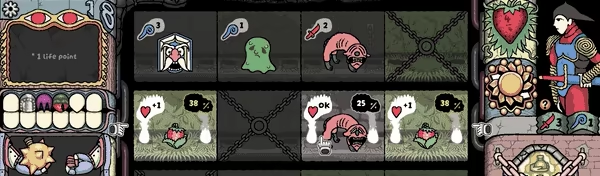
In Sol Cesto, your goal is to descend through the levels of a randomly generated underground world, diving ever deeper in search of the sun, lost for countless years. On the combat grid, choose one of four rows to move into. You'll then land randomly on one of the four tiles in that row: will it be a monster that harms you? A chest full of gold? Or perhaps a deadly poison trap? Anything can happen…
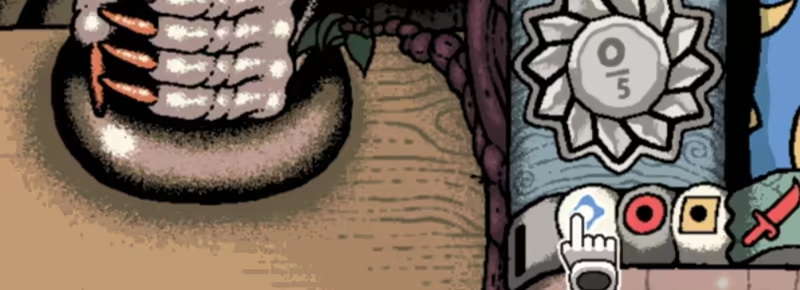
It’s up to you to weigh the risks of each tile as you clear the screen. Of course, your character will grow stronger, and magical items, special powers, and sinister curses will help you bend the odds in your favor and keep fate on your side.

Features:
5 biomes to explore, each hiding monsters and traps with unique behaviors
7 characters with distinct powers, stats, and abilities
Stone teeth that change the game’s rules and probabilities to tip the scales in your favor
Metal teeth that trigger devastating curses and combos
A wide range of items to eliminate enemies or escape dangerous situations
The strange underground inhabitants, some of whom may share their secrets with you
And many more surprises…

From the store page, unedited. May contain spoilers.
This release
Reviews and playtime
Very Positive
91% of 5,182
The game
Genres and features


How to install Sol Cesto
Pre-installed, so there is no setup wizard. Follow these in order.
- 01
Create a games folder
Make a folder like C:\Games\ and keep every game in it. Avoid Program Files, Downloads and the Desktop.
- 02
Exclude it from Windows Defender
Defender often deletes cracked files by mistake while they extract. Add C:\Games\ as an excluded folder:
Windows Security -> Virus & threat protection -> Manage settings -> Exclusions -> Add an exclusion -> Folder
- 03
Download into C:\Games\
Save the archive straight into that folder. This release is one 514.5 MB file.
- 04
Extract it there
Use 7-Zip or WinRAR. Keep about 1.1 GB free while it unpacks.
- One file
- Right-click it -> Extract here.
- Several parts
- Extract only part1 (or .001). The other parts are read automatically.
- 05
Open README.html
It is inside the extracted folder and explains how to start the game.
Still stuck? Read the install help
Download
Set up your games folder and the Defender exclusion before you extract. The Install tab has the steps.
FileDitch
The whole game in one file
FileQ
The whole game in one file
Pixeldrain
The whole game in one file
Pixeldrain slows free downloads to a few MB/s. The Copy fast link button gives you a bypass link with no speed limit. Paste it into your download manager, or into your browser's address bar.
We don't accept fix requests when only one host is down. Please use another mirror above. Links broken? Let us know.
We never password-protect files or hide installers. If a page asks for a password or payment, that is the host's ad, not us. See our safety guide.
System requirements
- Min
- Windows Vista or newer
- Rec
- Windows 10
- Min
- 1 GHz processor
- Rec
- 2 GHz dual-core processor
- Min
- 1 GB RAM
- Rec
- 4 GB RAM
- Min
- Version 9.0
- Rec
- Version 12
WebGL compatible graphic card
300 MB available space
These are the developer's listed requirements and may not be 100% accurate. If your specs fall below the minimum, try the game anyway; many games run fine below the listed requirements. When in doubt, check YouTube for performance benchmarks.