SpiderHeck
Neverjam2022Fighting, Action
496.3 MBBuild 13634498Updated 106 days ago
About SpiderHeck
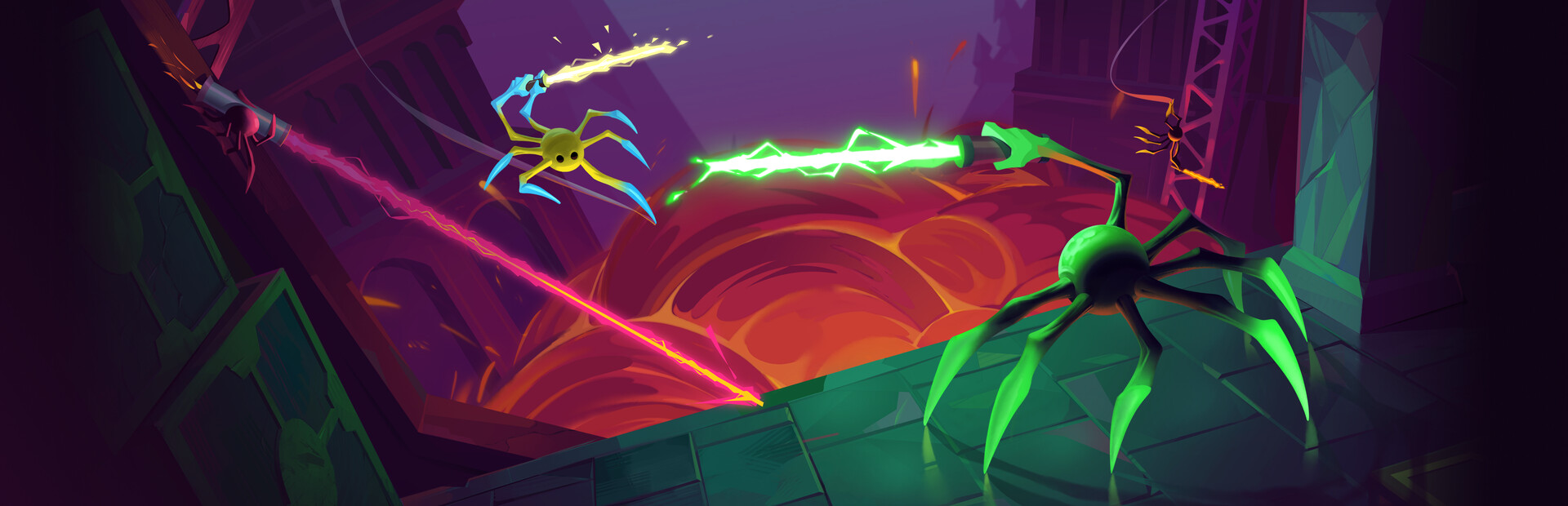
Spiders with laser swords! Duel to the death against your friends or choose to team up and hold back swarms of savage enemies. Swing, stab and shoot with style, effortlessly performing movie-worthy parkour.

A fast physics-based brawler where you'll get dozens of "holy heck, did I just do that? that was so cool" moments.
One-hit death
One wrong move and you are out! With 25 weapons as dangerous to you as they are to your enemies, every battle feels like dancing on a razor’s edge.
Web swinging & wall crawling
Run on ceilings and ramp up wild speed using physics-based web swinging.
Wild maps
55 maps to keep your fights fresh with various physics obstacles or hazards, and you can always grab more from the Steam Workshop!
Versus
Battle friends and randoms in intense acrobatic showdowns or epicly clumsy battles.
Co-op
Fight off waves of enemies, slowly gaining various upgrades as you try your best to “avoid” friendly fire.
Play alone
Test your skills by completing a variety of themed combat and parkour challenges.
Editor
Design your own versus maps, parkour courses, and combat challenges to test yourself or your friends.
Customization
The spiders are bald - help them unlock cool hats by completing achievements!

Disclaimer: this is not Australia simulator.
From the store page, unedited. May contain spoilers.
This release
Reviews and playtime
Very Positive
93% of 3,994
The game
Genres and features


How to install SpiderHeck
Pre-installed, so there is no setup wizard. Follow these in order.
- 01
Create a games folder
Make a folder like C:\Games\ and keep every game in it. Avoid Program Files, Downloads and the Desktop.
- 02
Exclude it from Windows Defender
Defender often deletes cracked files by mistake while they extract. Add C:\Games\ as an excluded folder:
Windows Security -> Virus & threat protection -> Manage settings -> Exclusions -> Add an exclusion -> Folder
- 03
Download into C:\Games\
Save the archive straight into that folder. This release is one 496.3 MB file.
- 04
Extract it there
Use 7-Zip or WinRAR. Keep about 1.1 GB free while it unpacks.
- One file
- Right-click it -> Extract here.
- Several parts
- Extract only part1 (or .001). The other parts are read automatically.
- 05
Open README.html
It is inside the extracted folder and explains how to start the game.
Still stuck? Read the install help
Download
Set up your games folder and the Defender exclusion before you extract. The Install tab has the steps.
FileDitch
The whole game in one file
FileQ
The whole game in one file
Gofile (legacy)
The whole game in one file
We don't accept fix requests when only one host is down. Please use another mirror above. Links broken? Let us know.
We never password-protect files or hide installers. If a page asks for a password or payment, that is the host's ad, not us. See our safety guide.
System requirements
- Min
- Windows 10
- Rec
- -
- Min
- Intel i3 2125 3.30 GHz
- Rec
- -
- Min
- 4 GB RAM
- Rec
- -
- Min
- nVidia GTX 550 ti
- Rec
- -
- Min
- Version 11
- Rec
- -
- Min
- 1100 MB available space
- Rec
- -
- Min
- Integrated
- Rec
- -
- Min
- Broadband Internet connection
- Rec
- -
These are the developer's listed requirements and may not be 100% accurate. If your specs fall below the minimum, try the game anyway; many games run fine below the listed requirements. When in doubt, check YouTube for performance benchmarks.