Simuverse Interactive2025Simulation
10.0GBBuild 24975044Updated 82 days ago
About SubwaySim 2
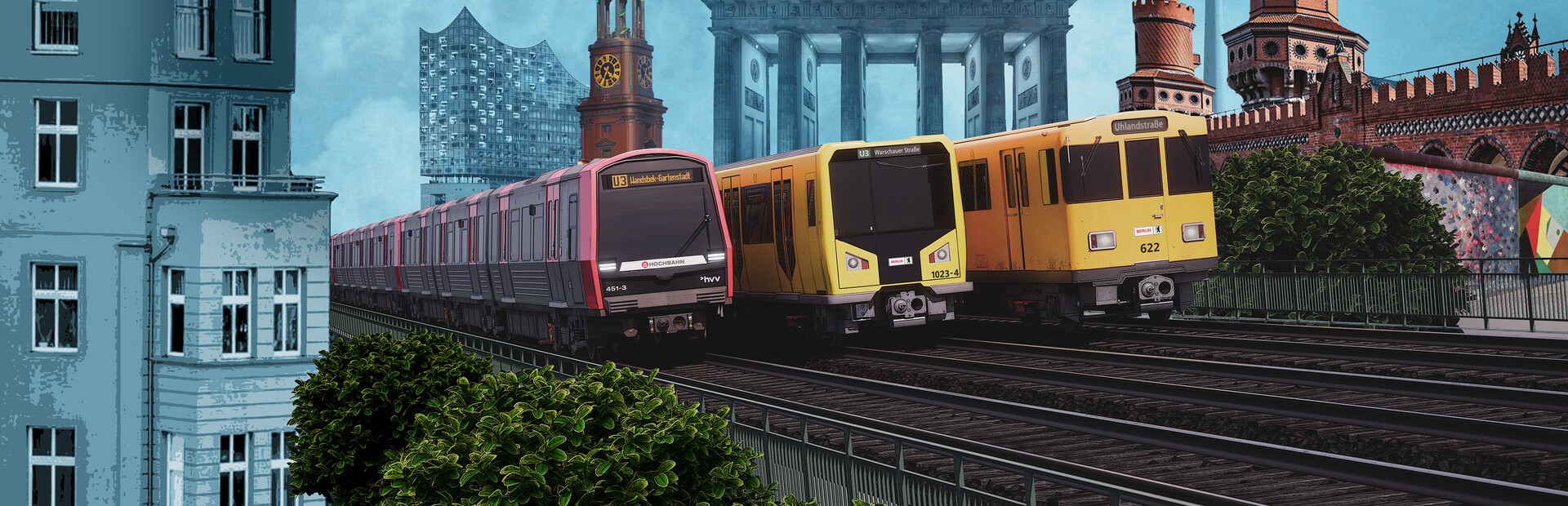
Explore the three most picturesque underground lines in Germany! The Berlin U1/U3 and the Hamburg U3 are waiting for you. Immerse yourself in everyday life in the two German metropolises and discover famous sights such as Hamburg's harbour or Berlin's Oberbaum Bridge.
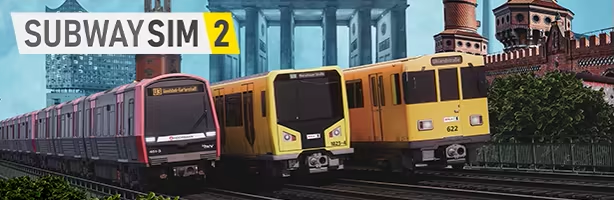
Dive into Simuverse Interactive's new public transport simulation!
Explore the three most picturesque underground lines in Germany! The Berlin U1/U3 and the Hamburg U3 are waiting for you.
Immerse yourself in everyday life in the two German metropolises and discover famous sights such as Hamburg's harbour or Berlin's Oberbaum Bridge.
Master various scenarios and get your passengers to their destination safely and on time. Watch out, though, as disruptions and red signals can suddenly change your workload!
Are you ready to start your first shift?

Experience public transport on a new level. SubwaySim 2 offers an unparalleled standard of realism and authenticity. The graphics have been improved even more since the predecessor, and particular attention was dedicated to the vehicles, which are more detailled than ever before.
Authentic scenarios, dynamic weather and the brand-new career mode round off the realistic picture of a subway operator's day-to-day work.

Discover the underground network of the German capital Berlin!
Transport your passengers on two lines of the Berlin underground network, with a total length of 30 kilometres and 26 highly detailed, unique stations.
Along the route, you will encounter the iconic sights of Germany’s largest city. Thanks to the detailed recreation of routes and surroundings, as well as the Unreal Engine 5, virtual Berlin looks more detailed than ever before!
Take control of two fully functional and highly detailed vehicles and the discover the lovingly designed above-ground sections of the track in the middle of the city centre. The vehicles include the A3L vehicle, a true Berlin icon, in the A3L92 edition, as well as the HK electric multiple unit.
Just as with the stations, particular attention has been paid to every detail of the vehicles.

Start your journey along Hamburg's U3 line and make sure that your passengers get from station to station safely!
20.7 kilometres and 25 accurately recreated stations are waiting for you to be discovered. From the Elbphilharmonie, the Landungsbrücken to the Elbpromenade, many iconic sights of the Hanseatic city along the U3 have been recreated and offer an authentic picture of Hamburg.
Thanks to Unreal Engine 5, the DT5, available in two versions, was recreated with all the smallest details. The accurate driving experience, accompanied by the accurate sounds, gives you an authentic insight into the everyday life of a Hamburg subway operator.

Features - SubwaySim 2
A total of 3 underground railway lines in Hamburg and Berlin
41 km of lovingly recreated track, mostly above ground
51 detailed stations with interactive passengers
Impressive sights along the route
3 playable, highly detailed vehicles (type DT5, HK and A3L92) with an authentic soundscape
Functional depots and stabling halls
Challenging scenarios with dynamic weather
Lively environment with passengers, AI trains and AI cars
Career mode with realistic transport issues, such as delays, red lights and breakdowns
Impressive graphics thanks to Unreal Engine 5
From the store page, unedited. May contain spoilers.
This release
Reviews and playtime
Very Positive
82% of 838
The game
Genres and features


How to install SubwaySim 2
Pre-installed, so there is no setup wizard. Follow these in order.
- 01
Create a games folder
Make a folder like C:\Games\ and keep every game in it. Avoid Program Files, Downloads and the Desktop.
- 02
Exclude it from Windows Defender
Defender often deletes cracked files by mistake while they extract. Add C:\Games\ as an excluded folder:
Windows Security -> Virus & threat protection -> Manage settings -> Exclusions -> Add an exclusion -> Folder
- 03
Download into C:\Games\
Save the archive straight into that folder. This release is one 10.0GB file.
- 04
Extract it there
Use 7-Zip or WinRAR. Keep about 22.0 GB free while it unpacks.
- One file
- Right-click it -> Extract here.
- Several parts
- Extract only part1 (or .001). The other parts are read automatically.
- 05
Open README.html
It is inside the extracted folder and explains how to start the game.
Still stuck? Read the install help
Download
Set up your games folder and the Defender exclusion before you extract. The Install tab has the steps.
FileDitch
The whole game in one file
FileQ
The whole game in one file
Gofile (legacy)
The whole game in one file
We don't accept fix requests when only one host is down. Please use another mirror above. Links broken? Let us know.
We never password-protect files or hide installers. If a page asks for a password or payment, that is the host's ad, not us. See our safety guide.
System requirements
- Min
- Windows 8.1, 10 or 11 (64-bit)
- Rec
- Windows 10, 11 (64-bit)
- Min
- Intel Core i5-4690 @ 3.5 GHz or AMD Ryzen 5 1500X @ 3.7 GHz
- Rec
- from 3.6 GHz, 8 cores
- Min
- 8 GB RAM
- Rec
- 16 GB RAM
- Min
- NVIDIA GeForce GTX 1070 or AMD Radeon RX Vega 56
- Rec
- NVIDIA GeForce RTX 2080 TI or AMD Radeon RX 6800 XT, each with 12 GB VRAM or better
Version 11
10 GB available space
integrated or dedicated soundcard
These are the developer's listed requirements and may not be 100% accurate. If your specs fall below the minimum, try the game anyway; many games run fine below the listed requirements. When in doubt, check YouTube for performance benchmarks.