Surgeon Simulator
Bossa Studios2013Simulation, Indie
1.0GBBuild 1165866Updated 30 days ago
About Surgeon Simulator
Surgeon Simulator is an over-the-top operation sim, stitching together pitch-black humour with life-saving surgery. Become Dr. Burke, a would-be surgeon with a less than conventional toolkit, as he performs procedures on patients including the Heavy from TF2! ...is that a hammer?
Malpractice Makes Perfect.
Didn’t fancy seven years at medical school? Skip straight to the operating table with Surgeon Simulator; an over-the-top operation sim, stitching together dastardly dark humour with all the seriousness of life-saving surgery.
Taking on the role of Nigel Burke, a would-be surgeon with a penchant for non-conventional tools, perform critical procedures on patients including The Heavy from TF2, an alien with a truly one-of-a-kind anatomical structure, and the 45th President of the United States of America - yes, Mr Donald J Trump, himself!
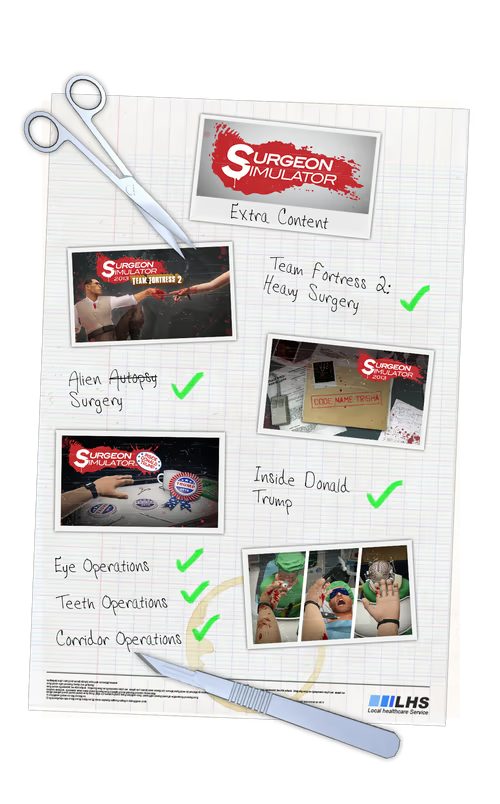
Known for its diabolically difficult controls (with each finger separately controlled by a different keyboard button), carry out terrifying transplants in theatre, high-pressure procedures along the corridor, and on-the-move operations in the back of a high-speed ambulance. Steady hands? Yeah, that ain’t gonna help!
Updated for 2017, Surgeon Simulator now includes the A&E expansion pack. We’re talking slicker (and often stickier!) graphics, additional procedures, all-new environments, and a (heart) pumping soundtrack.
But then again, we had you at Trump… right?
From the store page, unedited. May contain spoilers.
This release
Reviews and playtime
Very Positive
82% of 13,923
The game
Genres and features
How to install Surgeon Simulator
Pre-installed, so there is no setup wizard. Follow these in order.
- 01
Create a games folder
Make a folder like C:\Games\ and keep every game in it. Avoid Program Files, Downloads and the Desktop.
- 02
Exclude it from Windows Defender
Defender often deletes cracked files by mistake while they extract. Add C:\Games\ as an excluded folder:
Windows Security -> Virus & threat protection -> Manage settings -> Exclusions -> Add an exclusion -> Folder
- 03
Download into C:\Games\
Save the archive straight into that folder. This release is one 1.0GB file.
- 04
Extract it there
Use 7-Zip or WinRAR. Keep about 2.2 GB free while it unpacks.
- One file
- Right-click it -> Extract here.
- Several parts
- Extract only part1 (or .001). The other parts are read automatically.
- 05
Open README.html
It is inside the extracted folder and explains how to start the game.
Still stuck? Read the install help
Download
Set up your games folder and the Defender exclusion before you extract. The Install tab has the steps.
FilesYard
The whole game in one file
FileDitch
The whole game in one file
VikingFile
The whole game in one file
We don't accept fix requests when only one host is down. Please use another mirror above. Links broken? Let us know.
We never password-protect files or hide installers. If a page asks for a password or payment, that is the host's ad, not us. See our safety guide.
System requirements
- Min
- Windows XP
- Rec
- Windows 7
- Min
- 2.0 GHz
- Rec
- 2.0 GHz or better
- Min
- Nvidia Geforce 7800 GT or better
- Rec
- Radeon x850 or comparable
2 GB RAM
9.0
500 MB HD space
DirectX9.0 compatible sound card
These are the developer's listed requirements and may not be 100% accurate. If your specs fall below the minimum, try the game anyway; many games run fine below the listed requirements. When in doubt, check YouTube for performance benchmarks.