
Tavern Manager Simulator
One More Time2024Simulation, Management
1.2GBBuild 25410872Updated 42 days ago
About Tavern Manager Simulator
Restore your fantasy tavern to its full glory. Repair, improve and expand the establishment. Cook delicious food and keep an eye on the mood of the visitors. Create a unique atmosphere for unforgettable adventures!

Tavern Manager Simulator is an exciting process of rebuilding, expanding and improving a tavern. Take different approaches to running an establishment and meet the challenges of the outside world to create your own unique story.
Restore the Tavern
Renovate your workspace, buy resources and start serving your customers to earn money for further upgrades and improvements to your place.
Cook Delicious Dishes
Pour beer into large mugs. Throw vegetables into a cauldron, chop and tenderize meat. The more time you spend cooking, the more skillful your dishes will become. Better skills - more tips!
Serve your customers
Fast and quality customer service is the key to your Tavern's prosperity. All customers expect their table to be filled with mugs of beer and appetizers at once, as if by magic.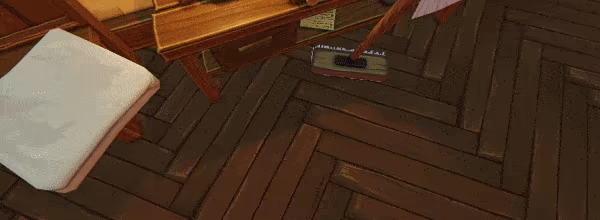
Become a famous Tavern Master
Order beer and cooking resources in time. Maintain a fire in the work stations. Control the quality of food and drink. Purchase tavern improvements that will make the work more efficient. And the fame of your tavern will spread throughout the kingdom!
From the store page, unedited. May contain spoilers.
This release
Reviews and playtime
Very Positive
91% of 4,094
The game
Genres and features
How to install Tavern Manager Simulator
Pre-installed, so there is no setup wizard. Follow these in order.
- 01
Create a games folder
Make a folder like C:\Games\ and keep every game in it. Avoid Program Files, Downloads and the Desktop.
- 02
Exclude it from Windows Defender
Defender often deletes cracked files by mistake while they extract. Add C:\Games\ as an excluded folder:
Windows Security -> Virus & threat protection -> Manage settings -> Exclusions -> Add an exclusion -> Folder
- 03
Download into C:\Games\
Save the archive straight into that folder. This release is one 1.2GB file.
- 04
Extract it there
Use 7-Zip or WinRAR. Keep about 2.6 GB free while it unpacks.
- One file
- Right-click it -> Extract here.
- Several parts
- Extract only part1 (or .001). The other parts are read automatically.
- 05
Open README.html
It is inside the extracted folder and explains how to start the game.
Still stuck? Read the install help
Download
Set up your games folder and the Defender exclusion before you extract. The Install tab has the steps.
FileDitch
The whole game in one file
VikingFile
The whole game in one file
0807
The whole game in one file
We don't accept fix requests when only one host is down. Please use another mirror above. Links broken? Let us know.
We never password-protect files or hide installers. If a page asks for a password or payment, that is the host's ad, not us. See our safety guide.
System requirements
- Min
- Windows 10 64-bit
- Rec
- -
- Min
- Intel Core i3 3.0 GHz or Ryzen 3xxx
- Rec
- -
- Min
- 8 GB RAM
- Rec
- -
- Min
- Nvidia GeForce GTX 960 4GB VRAM
- Rec
- -
- Min
- Version 11
- Rec
- -
- Min
- 10 GB available space
- Rec
- -
These are the developer's listed requirements and may not be 100% accurate. If your specs fall below the minimum, try the game anyway; many games run fine below the listed requirements. When in doubt, check YouTube for performance benchmarks.