
TetherGeist
Out of Space Games2026Action, Platformer
1.6 GB(23 May 2026 | 23373679)Updated 183 days ago
About TetherGeist
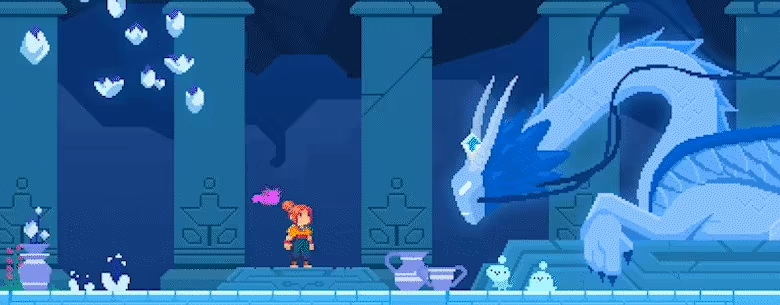
TetherGeist is a challenging precision platformer that rewards practice and perseverance. Guide Mae and her axolotl spirit, Bao, on a wholesome coming-of-age pilgrimage while mastering Astral Projection, a tether that links Mae to her spirit and is the source of her strength.
Embark on a Treacherous Pilgrimage
Guide Mae on a coming-of-age pilgrimage in this heartfelt precision platformer, designed for both newcomers and those in search of a challenge.

For hundreds of years, the Mountain Shaman have used their powers of Astral Projection to travel vast distances. But Mae is different – her spirit travel is limited by a tether. When the time comes for a coming of age pilgrimage, Mae must forgo spirit flight and take the journey the long way.

Join Mae on her challenging journey, using tough but satisfying platforming to leap and bound towards her goal. Master seven different Azae that change how your spirit interacts with the environment. Scour the world for secrets, treasures and hidden paths – your curiosity will be rewarded!
Features:
Precision and depth: Progressively unlock seven different spirit abilities
Seek and find: Discover hidden secrets, alternate paths and more
Pure precision platforming: No combat, powerups or skill trees
A speedrunner’s dream: Push your skills to the limit with timed runs!
Tough but forgiving: Frequent checkpoints help you learn from your mistakes
Full of heart: Discover a story about community, difference and growing up

From the store page, unedited. May contain spoilers.
This release
Reviews and playtime
Very Positive
97% of 324
The game
Genres and features
How to install TetherGeist
Pre-installed, so there is no setup wizard. Follow these in order.
- 01
Create a games folder
Make a folder like C:\Games\ and keep every game in it. Avoid Program Files, Downloads and the Desktop.
- 02
Exclude it from Windows Defender
Defender often deletes cracked files by mistake while they extract. Add C:\Games\ as an excluded folder:
Windows Security -> Virus & threat protection -> Manage settings -> Exclusions -> Add an exclusion -> Folder
- 03
Download into C:\Games\
Save the archive straight into that folder. This release is one 1.6 GB file.
- 04
Extract it there
Use 7-Zip or WinRAR. Keep about 3.5 GB free while it unpacks.
- One file
- Right-click it -> Extract here.
- Several parts
- Extract only part1 (or .001). The other parts are read automatically.
- 05
Open README.html
It is inside the extracted folder and explains how to start the game.
Still stuck? Read the install help
Download
Set up your games folder and the Defender exclusion before you extract. The Install tab has the steps.
FileDitch
The whole game in one file
VikingFile
The whole game in one file
FileQ
The whole game in one file
Gofile (legacy)
The whole game in one file
We don't accept fix requests when only one host is down. Please use another mirror above. Links broken? Let us know.
We never password-protect files or hide installers. If a page asks for a password or payment, that is the host's ad, not us. See our safety guide.
System requirements
- Min
- Windows 7
- Rec
- Windows 10
- Min
- Dual Core CPU
- Rec
- Quad Core CPU
- Min
- 2 GB RAM
- Rec
- 8 GB RAM
- Min
- OpenGL 4-compliant onboard graphics
- Rec
- Dedicated graphics card
1 GB available space
basic
N/A
These are the developer's listed requirements and may not be 100% accurate. If your specs fall below the minimum, try the game anyway; many games run fine below the listed requirements. When in doubt, check YouTube for performance benchmarks.