
That Level Again 3
IamTagir2026Casual, Puzzle
70.3MBBuild 25391720Updated 12 days ago
About That Level Again 3
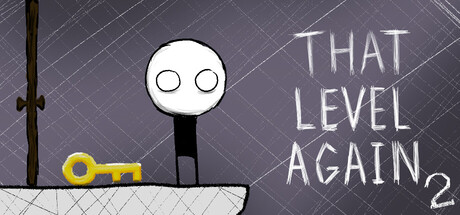
TLA3 is a 2D puzzle platformer where paying attention matters more than reflexes. Every level hides a trick, and the hints are written right on the walls — reading them is the easy part, understanding them isn't. Experiment, fail, and find the solutions most players walk straight past
LEFT LEFT RIGHT RIGHT JUMP JUMP
TLA3 is the third game in the series of puzzle platformers.
This time it's one long level
That's the big change from the previous games. It's now a single large connected level you walk through from start to finish.
Read the signs
Almost everything is solved through something the game already told you.
Think outside the box
Half the solutions live outside what platformers have trained you to do.
Standalone levels
Alongside the main route there are a few standalone levels.
Secrets
There are hidden places, concealed messages and easter eggs along the way — including some for anyone who played the first two games.
A full run takes about an hour.
Recommended if you like puzzles with a catch and games that mess with your expectations. And for anyone who finished the first two games and wants more.
From the store page, unedited. May contain spoilers.
This release
Reviews and playtime
Positive
88% of 25
The game
Genres and features

How to install That Level Again 3
Pre-installed, so there is no setup wizard. Follow these in order.
- 01
Create a games folder
Make a folder like C:\Games\ and keep every game in it. Avoid Program Files, Downloads and the Desktop.
- 02
Exclude it from Windows Defender
Defender often deletes cracked files by mistake while they extract. Add C:\Games\ as an excluded folder:
Windows Security -> Virus & threat protection -> Manage settings -> Exclusions -> Add an exclusion -> Folder
- 03
Download into C:\Games\
Save the archive straight into that folder. This release is one 70.3MB file.
- 04
Extract it there
Use 7-Zip or WinRAR. Keep about 154.7 MB free while it unpacks.
- One file
- Right-click it -> Extract here.
- Several parts
- Extract only part1 (or .001). The other parts are read automatically.
- 05
Open README.html
It is inside the extracted folder and explains how to start the game.
Still stuck? Read the install help
Download
Set up your games folder and the Defender exclusion before you extract. The Install tab has the steps.
FilesYard
The whole game in one file
FileDitch
The whole game in one file
VikingFile
The whole game in one file
We don't accept fix requests when only one host is down. Please use another mirror above. Links broken? Let us know.
We never password-protect files or hide installers. If a page asks for a password or payment, that is the host's ad, not us. See our safety guide.
System requirements
- Min
- XP
- Rec
- 10
- Min
- 2 GB RAM
- Rec
- 4 GB RAM
2.0+ GHz
OpenGL 2.0 support
400 MB available space
These are the developer's listed requirements and may not be 100% accurate. If your specs fall below the minimum, try the game anyway; many games run fine below the listed requirements. When in doubt, check YouTube for performance benchmarks.