The Wrong Way
ZestosYt2026Action, Adventure
4.2GBBuild 26097490Updated 26 days ago
About The Wrong Way
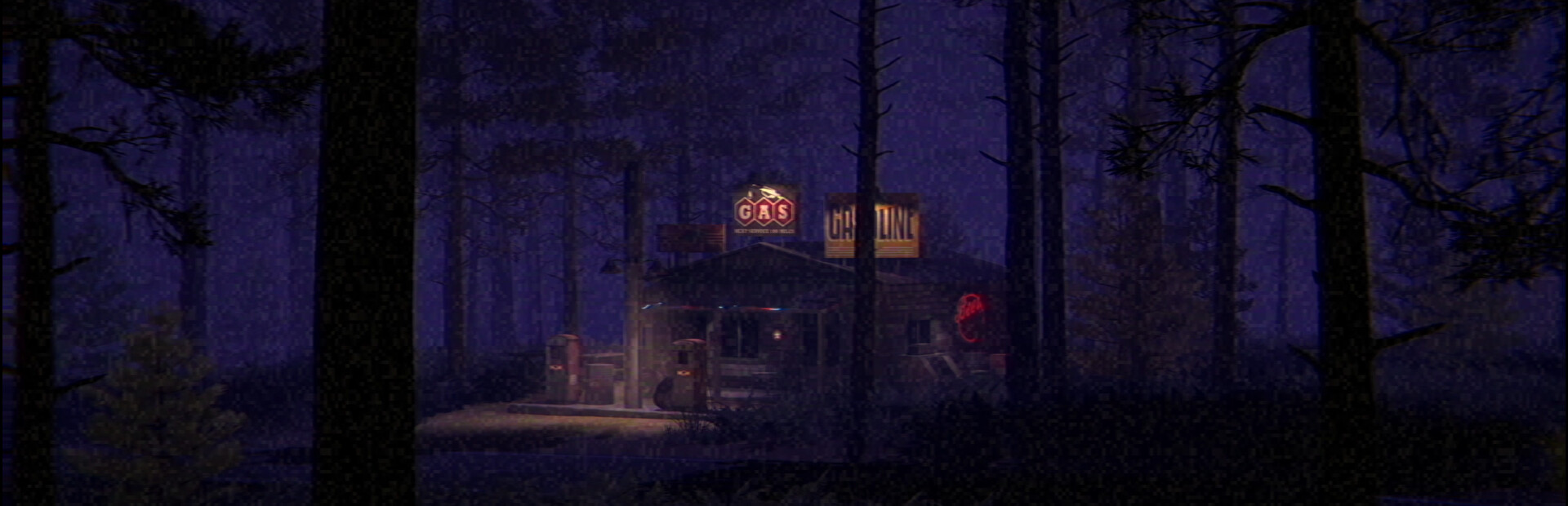
The Wrong Way is a psychological horror experience about a camping trip that takes a dark turn when one friend drives home alone and ends up on a road he was never supposed to be on. Sometimes the most dangerous places are the ones you stumble into by accident.
THE WRONG WAY
"THE WRONG WAY" is a psychological horror game
BASED ON TRUE EVENTS
PLOT
It was supposed to be a simple camping trip. Two days in the woods with my closest friends. I had to leave early — work the next morning. So I drove back alone. That's when the GPS sent me the wrong way. The car broke down on a road I'd never seen before. No signal. No help. Just a motel I was never supposed to find.
GAMEPLAY
In The Wrong Way, you play as James — a regular guy on a weekend camping trip with his friends. What starts as a fun getaway slowly turns unsettling. When James leaves camp early and drives home alone, everything goes wrong. A dead car. An empty road. No signal. Explore campgrounds, dark roads, and quiet places where nothing feels quite right. Everyone you meet seems helpful. But nothing is what it seems. How far down the wrong road did you go — and can you find your way back?
Key Features
Atmospheric environment and photo-realistic graphics.
VHS film aesthetic.
Receive texts from NPCs.
Talk to NPCs.
Player voice activity.
Controls WASD - Move
LMB - Interact
ESC - Chats menu
Left SHIFT - Move faster
From the store page, unedited. May contain spoilers.
This release
Reviews and playtime
Mixed
54% of 59
The game
Genres and features
How to install The Wrong Way
Pre-installed, so there is no setup wizard. Follow these in order.
- 01
Create a games folder
Make a folder like C:\Games\ and keep every game in it. Avoid Program Files, Downloads and the Desktop.
- 02
Exclude it from Windows Defender
Defender often deletes cracked files by mistake while they extract. Add C:\Games\ as an excluded folder:
Windows Security -> Virus & threat protection -> Manage settings -> Exclusions -> Add an exclusion -> Folder
- 03
Download into C:\Games\
Save the archive straight into that folder. This release is one 4.2GB file.
- 04
Extract it there
Use 7-Zip or WinRAR. Keep about 9.2 GB free while it unpacks.
- One file
- Right-click it -> Extract here.
- Several parts
- Extract only part1 (or .001). The other parts are read automatically.
- 05
Open README.html
It is inside the extracted folder and explains how to start the game.
Still stuck? Read the install help
Download
Set up your games folder and the Defender exclusion before you extract. The Install tab has the steps.
FilesYard
The whole game in one file
FileDitch
The whole game in one file
VikingFile
The whole game in one file
We don't accept fix requests when only one host is down. Please use another mirror above. Links broken? Let us know.
We never password-protect files or hide installers. If a page asks for a password or payment, that is the host's ad, not us. See our safety guide.
System requirements
- Min
- Windows 10 64Bit
- Rec
- Windows 11 64Bit
- Min
- Interl (R) Core(TM) i5-3300
- Rec
- Interl (R) Core(TM) i5-10300K
- Min
- GT 1030
- Rec
- GTX 1660 TI
- Min
- Version 11
- Rec
- Version 12
- Min
- 11 GB available space
- Rec
- 12 GB available space
These are the developer's listed requirements and may not be 100% accurate. If your specs fall below the minimum, try the game anyway; many games run fine below the listed requirements. When in doubt, check YouTube for performance benchmarks.