
TOEM 2
Something We Made2026Adventure, Casual
368.5MBBuild 25772407Updated 51 days ago
About TOEM 2
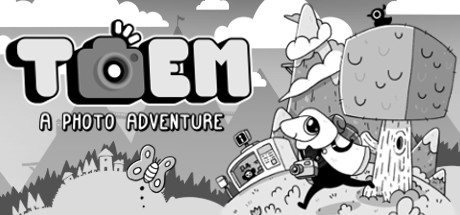
Step back into the shoes of a curious photographer and set off on a brand new adventure all about uncovering hidden details, helping friends along the way, and documenting the world’s little wonders in TOEM 2, the sequel to the acclaimed TOEM.
Tie those sneakers and ready your camera, it’s time to set off on a new photo adventure in TOEM 2! Head off on a relaxing journey, spurred on by your newly-awakened passion for discovering and photographing mysterious “events” known as TOEMs. TOEM 2 was crafted to be welcoming for both returning fans of TOEM and those who want to jump in for the first time.

Run, jump, and climb your way through all-new cozy environments, uncovering hidden paths, scenic viewpoints, and small details waiting to be discovered. The world is built to reward curiosity, so take your time and wander wherever your camera leads you.

Encounter a cast of new quirky characters and adorable critters along your journey. Lend a hand to new faces, create lasting friendships, and catalogue your memories as you go along.

Your camera has gotten an upgrade! Not only can you snap pictures to solve puzzles, uncover secrets, and document your discoveries, you can also use them in more unconventional ways, with new attachments letting you overcome various problems in each region.

Fill your journal with stamps as you complete quests, document discoveries, and expand your critter compendium. Each stamp is not only a reminder of the little wonders you’ve uncovered along the way — they’re also your ticket to unlocking the next region.

TOEM 2 is built to be experienced at your own pace with no time limits or tricky requirements for full completion. Listen to music on a bench, smell the flowers, admire the sights and enjoy.
From the store page, unedited. May contain spoilers.
This release
Reviews and playtime
Very Positive
93% of 968
The game
Genres and features
How to install TOEM 2
Pre-installed, so there is no setup wizard. Follow these in order.
- 01
Create a games folder
Make a folder like C:\Games\ and keep every game in it. Avoid Program Files, Downloads and the Desktop.
- 02
Exclude it from Windows Defender
Defender often deletes cracked files by mistake while they extract. Add C:\Games\ as an excluded folder:
Windows Security -> Virus & threat protection -> Manage settings -> Exclusions -> Add an exclusion -> Folder
- 03
Download into C:\Games\
Save the archive straight into that folder. This release is one 368.5MB file.
- 04
Extract it there
Use 7-Zip or WinRAR. Keep about 810.7 MB free while it unpacks.
- One file
- Right-click it -> Extract here.
- Several parts
- Extract only part1 (or .001). The other parts are read automatically.
- 05
Open README.html
It is inside the extracted folder and explains how to start the game.
Still stuck? Read the install help
Download
Set up your games folder and the Defender exclusion before you extract. The Install tab has the steps.
FileDitch
The whole game in one file
VikingFile
The whole game in one file
Gofile (legacy)
The whole game in one file
We don't accept fix requests when only one host is down. Please use another mirror above. Links broken? Let us know.
We never password-protect files or hide installers. If a page asks for a password or payment, that is the host's ad, not us. See our safety guide.
System requirements
- Min
- Windows 7 or later
- Rec
- Windows 11
These are the developer's listed requirements and may not be 100% accurate. If your specs fall below the minimum, try the game anyway; many games run fine below the listed requirements. When in doubt, check YouTube for performance benchmarks.