PlatinumGames2015Action, Hack and Slash
6.1GBBuild 730962Updated 58 days ago
About TRANSFORMERS: Devastation
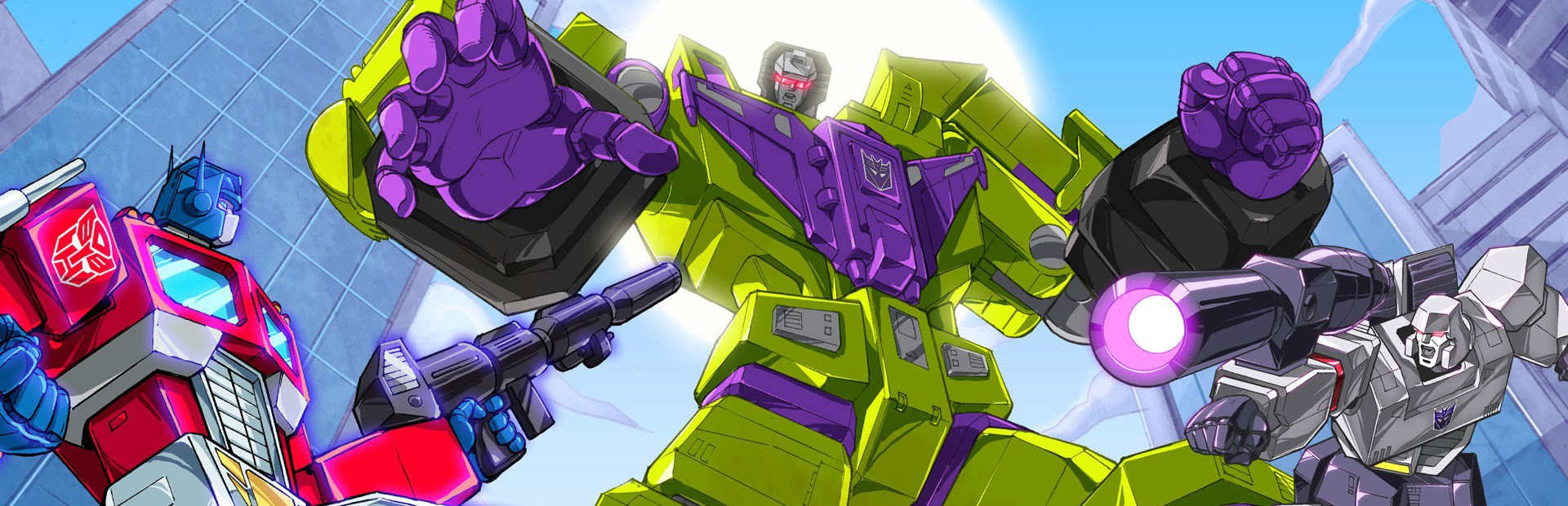
The TRANSFORMERS are back, and this time they’re in the hands of acclaimed developer PlatinumGames, who have combined their over-the-top brawler action with comic book inspired art to create a TRANSFORMERS game like none other.
New DLC Available
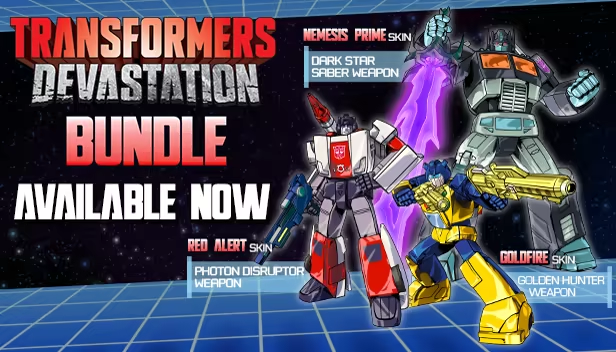
Get 3 Character Skins and 3 Awesome Weapons:
- Optimus Prime's Nemesis Prime skin with the Dark Star Saber
- Sideswipe's Red Alert skin with the Photon Disruptor
- Bumblebee's Goldfire skin with the Golden Hunter weapon
About the Game
The TRANSFORMERS are back, and this time they’re in the hands of acclaimed developer PlatinumGames, who have combined their over-the-top brawler action with comic book inspired art to create a TRANSFORMERS game like none other.- Surprise the enemy: PlatinumGames signature fast action allows instant robot to vehicle attacks, slam downs, counterattacks, and infinite combos for to create a unique master combat system.
- Five playable AUTOBOTS: Wreak havoc on the DECEPTICONS as OPTIMUS PRIME, BUMBLEBEE, SIDESWIPE, WHEELJACK and GRIMLOCK.
- Actors from the original TV series: Reprising their roles are Peter Cullen (OPTIMUS PRIME), Dan Gilvezan (BUMBLEBEE), Frank Welker (MEGATRON and SOUNDWAVE), and more.
- Play again and again: 5 difficulty levels with overhauls in enemy composition, combined with a deep customization system, means hours of intense gameplay.
From the store page, unedited. May contain spoilers.
This release
Reviews and playtime
Very Positive
93% of 1,255
The game
Genres and features
How to install TRANSFORMERS: Devastation
Pre-installed, so there is no setup wizard. Follow these in order.
- 01
Create a games folder
Make a folder like C:\Games\ and keep every game in it. Avoid Program Files, Downloads and the Desktop.
- 02
Exclude it from Windows Defender
Defender often deletes cracked files by mistake while they extract. Add C:\Games\ as an excluded folder:
Windows Security -> Virus & threat protection -> Manage settings -> Exclusions -> Add an exclusion -> Folder
- 03
Download into C:\Games\
Save the archive straight into that folder. This release is one 6.1GB file.
- 04
Extract it there
Use 7-Zip or WinRAR. Keep about 13.4 GB free while it unpacks.
- One file
- Right-click it -> Extract here.
- Several parts
- Extract only part1 (or .001). The other parts are read automatically.
- 05
Open README.html
It is inside the extracted folder and explains how to start the game.
Still stuck? Read the install help
Download
Set up your games folder and the Defender exclusion before you extract. The Install tab has the steps.
FileDitch
The whole game in one file
0807
The whole game in one file
Gofile (legacy)
The whole game in one file
We don't accept fix requests when only one host is down. Please use another mirror above. Links broken? Let us know.
We never password-protect files or hide installers. If a page asks for a password or payment, that is the host's ad, not us. See our safety guide.
System requirements
- Min
- Windows® Vista, Windows 7, or Windows 8
- Min
- Intel® Core™ 2 Duo E4400 / AMD Athlon™ 64 X2 5600+
- Min
- 2 GB RAM
- Min
- NVIDIA® GeForce® 8800 GT @ 512MB / ATI® Radeon™ HD 3870 @ 512MB or better
- Min
- Version 9.0c
- Min
- 9 GB available space
- Min
- DirectX® Compatible Sound Card
- Min
- Internet connection required for activation.
These are the developer's listed requirements and may not be 100% accurate. If your specs fall below the minimum, try the game anyway; many games run fine below the listed requirements. When in doubt, check YouTube for performance benchmarks.