PenGames2026Action, Shooter
205.9MBBuild 23492466Updated 74 days ago
About ULTRA0
An easy-to-play, fast-paced 3D shooter meets sci-fi yuri visual novel — a non-stop thrill ride from start to finish!
★Game Overview
"ULTRA0" is an easy-to-play pseudo-3D shooter that has a lot of visual novel parts.
In N Country, facing extinction from relentless monster attacks, young girls take up arms against the approaching threats.
You play as the elite warrior Shirogane, tasked with hunting down mysterious giant monsters.
Collect supply items to power up your character and take down wave after wave of monstrous foes!
★Simple Controls!
Move your character to aim at enemies, and attacks will be automatically unleashed.
Powerful Bombs and Skills can also be activated with a single button press!
Annihilate the oncoming monsters!

★Story
It was ten years ago when a kaiju first appeared in Nation N.
Countless lives have been lost in the long and brutal struggle that followed.
Now, the last line of defense rests in the hands of the remaining girls.
Among them is Shirogane, a member of the elite Unit 81—one of the most dangerous active combat zones. With exceptional combat prowess, she has saved her comrades time and time again from the kaiju threat.
Today, once again, she steps onto the battlefield—
to face a new, unknown kaiju.
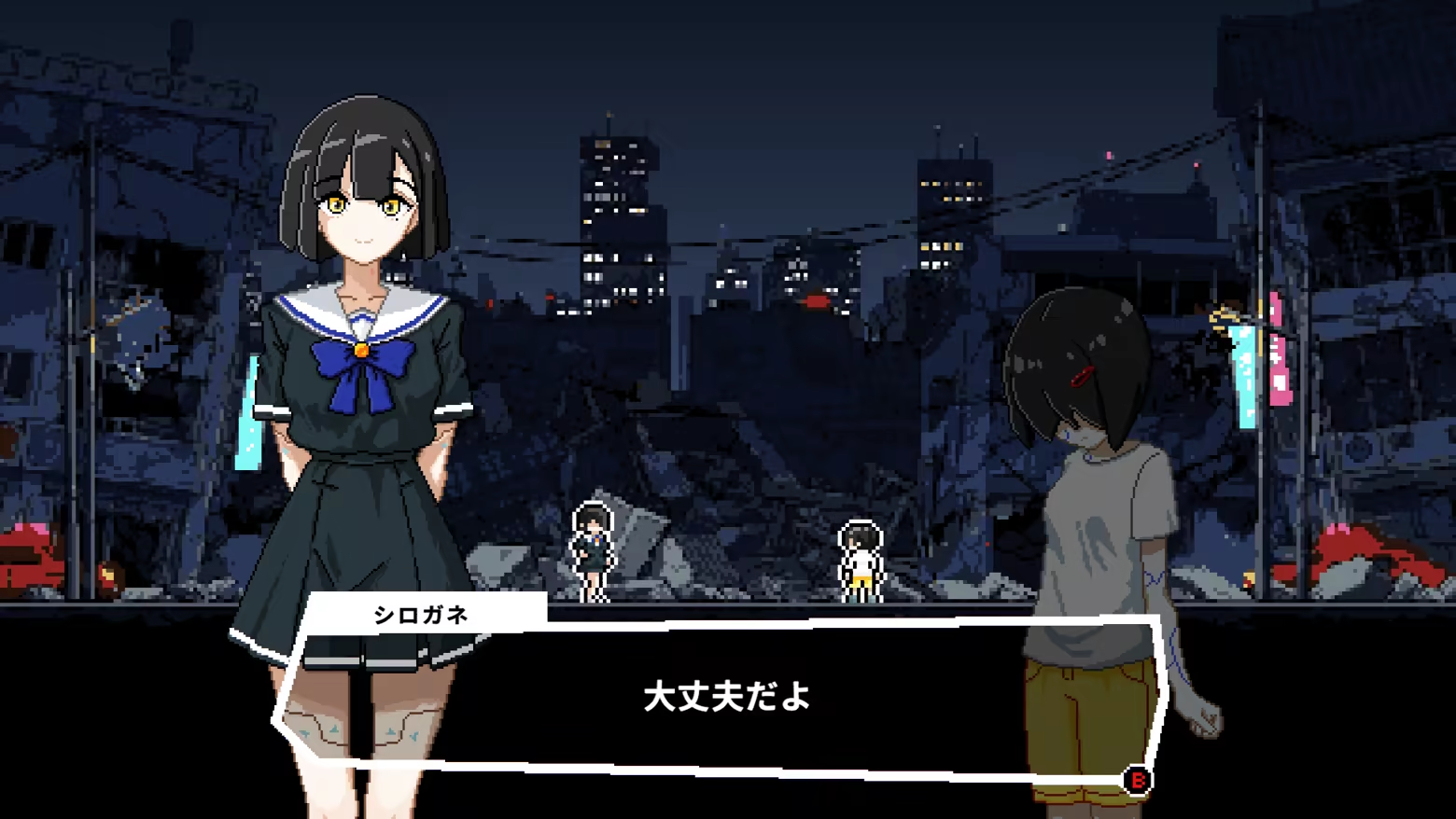
Get stronger with items!
Items can be obtained randomly along the way.
If you're lucky, the item's effect might be doubled or tripled!

The protagonist changes with each chapter.

From the store page, unedited. May contain spoilers.
This release
Reviews and playtime
Very Positive
96% of 95
The game
Genres and features
How to install ULTRA0
Pre-installed, so there is no setup wizard. Follow these in order.
- 01
Create a games folder
Make a folder like C:\Games\ and keep every game in it. Avoid Program Files, Downloads and the Desktop.
- 02
Exclude it from Windows Defender
Defender often deletes cracked files by mistake while they extract. Add C:\Games\ as an excluded folder:
Windows Security -> Virus & threat protection -> Manage settings -> Exclusions -> Add an exclusion -> Folder
- 03
Download into C:\Games\
Save the archive straight into that folder. This release is one 205.9MB file.
- 04
Extract it there
Use 7-Zip or WinRAR. Keep about 453.0 MB free while it unpacks.
- One file
- Right-click it -> Extract here.
- Several parts
- Extract only part1 (or .001). The other parts are read automatically.
- 05
Open README.html
It is inside the extracted folder and explains how to start the game.
Still stuck? Read the install help
Download
Set up your games folder and the Defender exclusion before you extract. The Install tab has the steps.
FileDitch
The whole game in one file
FileQ
The whole game in one file
Pixeldrain
The whole game in one file
Pixeldrain slows free downloads to a few MB/s. The Copy fast link button gives you a bypass link with no speed limit. Paste it into your download manager, or into your browser's address bar.
Gofile (legacy)
The whole game in one file
We don't accept fix requests when only one host is down. Please use another mirror above. Links broken? Let us know.
We never password-protect files or hide installers. If a page asks for a password or payment, that is the host's ad, not us. See our safety guide.
System requirements
- Min
- windows11(64bit)
- Rec
- -
- Min
- Intel Core i7 or better
- Rec
- -
- Min
- 16 GB RAM
- Rec
- -
- Min
- 1 GB available space
- Rec
- -
These are the developer's listed requirements and may not be 100% accurate. If your specs fall below the minimum, try the game anyway; many games run fine below the listed requirements. When in doubt, check YouTube for performance benchmarks.