Arsi "Hakita" Patala2020Shooter, Dating Sim
3.1GBBuild 22957324Updated 58 days ago
About ULTRAKILL
ULTRAKILL is a fast-paced ultraviolent retro FPS combining the skill-based style scoring from character action games with unadulterated carnage inspired by the best shooters of the '90s. Rip apart your foes with varied destructive weapons and shower in their blood to regain your health.

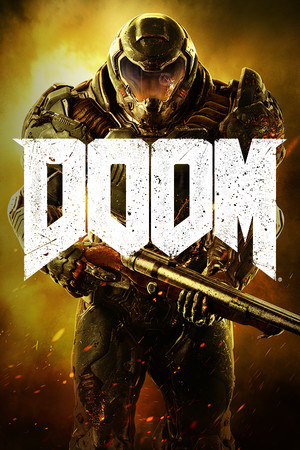
ULTRAKILL is a fast-paced ultraviolent old school FPS that fuses together classic shooters like Quake, modern shooters like Doom (2016) and character action games like Devil May Cry.
Mankind has gone extinct and the only beings left on earth are machines fueled by blood.
But now that blood is starting to run out on the surface...
Machines are racing to the depths of Hell in search of more.

- Use your many movement abilities to stay mobile and avoid the relentless attacks of the dead, demons and other machines.
- Destroy them with an arsenal of incredibly powerful weapons, each with multiple available variations.
- Soak yourself in their blood to regain health and keep fighting.

- Kill fast and with SSStyle to rack up combos and gain points that can be used on weapon variations between missions.
- Master the many levels to achieve high ranks and take on unique optional challenges.
- Explore the varied and unique campaign environments inspired by Dante's Inferno to find plentiful hidden secrets
From the store page, unedited. May contain spoilers.
This release
Reviews and playtime
Overwhelmingly Positive
97% of 219,858
The game
Genres and features
How to install ULTRAKILL
Pre-installed, so there is no setup wizard. Follow these in order.
- 01
Create a games folder
Make a folder like C:\Games\ and keep every game in it. Avoid Program Files, Downloads and the Desktop.
- 02
Exclude it from Windows Defender
Defender often deletes cracked files by mistake while they extract. Add C:\Games\ as an excluded folder:
Windows Security -> Virus & threat protection -> Manage settings -> Exclusions -> Add an exclusion -> Folder
- 03
Download into C:\Games\
Save the archive straight into that folder. This release is one 3.1GB file.
- 04
Extract it there
Use 7-Zip or WinRAR. Keep about 6.8 GB free while it unpacks.
- One file
- Right-click it -> Extract here.
- Several parts
- Extract only part1 (or .001). The other parts are read automatically.
- 05
Open README.html
It is inside the extracted folder and explains how to start the game.
Still stuck? Read the install help
Download
Set up your games folder and the Defender exclusion before you extract. The Install tab has the steps.
FileDitch
The whole game in one file
0807
The whole game in one file
Gofile (legacy)
The whole game in one file
We don't accept fix requests when only one host is down. Please use another mirror above. Links broken? Let us know.
We never password-protect files or hide installers. If a page asks for a password or payment, that is the host's ad, not us. See our safety guide.
System requirements
- Min
- Windows 10
- Rec
- Windows 11
- Min
- 2.4 GHz Dual Core Processor Or Higher
- Rec
- 3.1 GHz Quad Core Processor Or Higher
- Min
- 4 GB RAM
- Rec
- 8 GB RAM
- Min
- GeForce GTX 560 Or Equivalent
- Rec
- Geforce GTX 970 Or Equivalent
- Min
- Version 11
- Rec
- Version 12
- Min
- No vocal interface detected.
- Rec
- Yet I must scream.
3 GB available space
These are the developer's listed requirements and may not be 100% accurate. If your specs fall below the minimum, try the game anyway; many games run fine below the listed requirements. When in doubt, check YouTube for performance benchmarks.