Underchoice
TG Indie2026Indie, Simulation
269.6 MBBuild 23502309Updated 176 days ago
About Underchoice
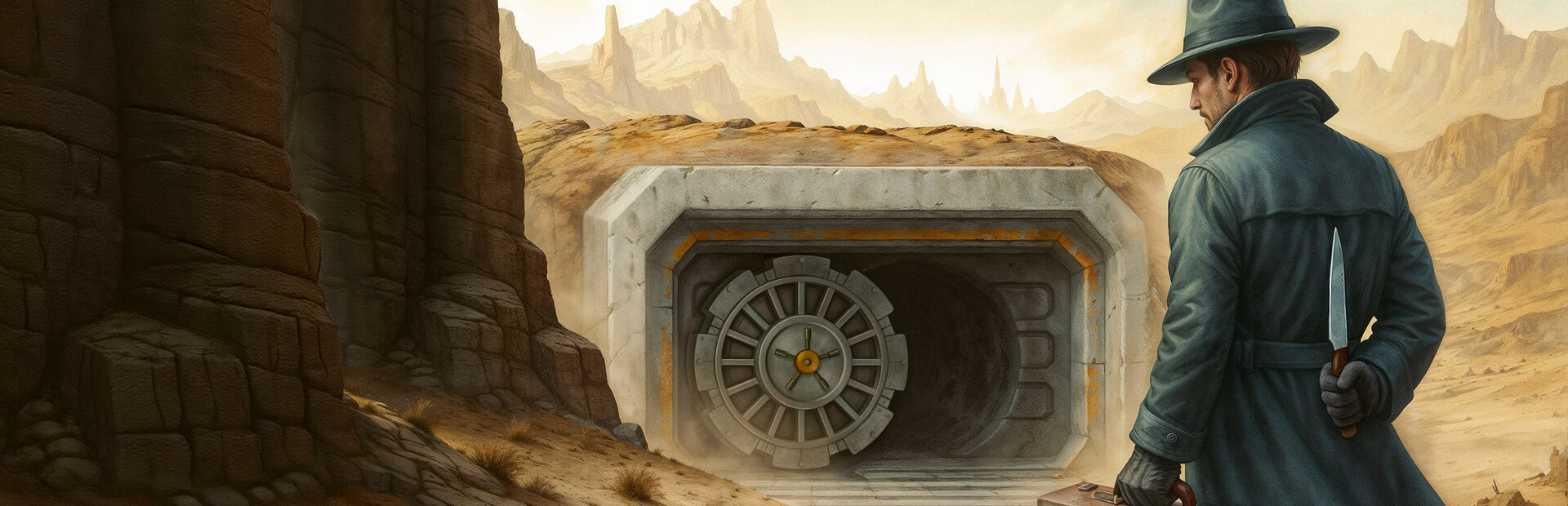
Become the overseer and shape the fate of those who come knocking at the door. Each decision you make, whether it is to let in a stranger, to use your resources on something, or to risk the safety of the bunker.
The outside world is no longer fit to live in, and there is only one place that can protect people: the bunker. Become its overseer and take responsibility for difficult choices: saving or rejecting, sharing or denying, trusting or defending. There’s nothing but chaos outside, and each knock on the door may mean salvation or destruction. Your choices will decide the fate of the bunker’s inhabitants and the wandering souls on the doorstep.
Choose who to let in

Every person that comes to the bunker may turn out to be a friend or a foe. Let them in and risk your security. Deny them and lose a chance for saving the people in your charge.
Resolve difficult situations

Technical issues, internal problems and outside threats: your every decision may save lives or put people in danger.
Manage limited resources
Decide what to do with your food supplies, medications and tools to find the best way to survive inside the sealed bunker.
Every decision matters

Every choice you make creates a unique story and leads to many alternate endings. Make your decisions wisely!
From the store page, unedited. May contain spoilers.
This release
Reviews and playtime
Mostly Positive
70% of 124
The game
Genres and features
How to install Underchoice
Pre-installed, so there is no setup wizard. Follow these in order.
- 01
Create a games folder
Make a folder like C:\Games\ and keep every game in it. Avoid Program Files, Downloads and the Desktop.
- 02
Exclude it from Windows Defender
Defender often deletes cracked files by mistake while they extract. Add C:\Games\ as an excluded folder:
Windows Security -> Virus & threat protection -> Manage settings -> Exclusions -> Add an exclusion -> Folder
- 03
Download into C:\Games\
Save the archive straight into that folder. This release is one 269.6 MB file.
- 04
Extract it there
Use 7-Zip or WinRAR. Keep about 593.1 MB free while it unpacks.
- One file
- Right-click it -> Extract here.
- Several parts
- Extract only part1 (or .001). The other parts are read automatically.
- 05
Open README.html
It is inside the extracted folder and explains how to start the game.
Still stuck? Read the install help
Download
Set up your games folder and the Defender exclusion before you extract. The Install tab has the steps.
FileDitch
The whole game in one file
FileQ
The whole game in one file
Gofile (legacy)
The whole game in one file
We don't accept fix requests when only one host is down. Please use another mirror above. Links broken? Let us know.
We never password-protect files or hide installers. If a page asks for a password or payment, that is the host's ad, not us. See our safety guide.
System requirements
- Min
- 2.0 Ghz Intel Pentium-4 / AMD Athlon II
- Rec
- 2.3 Ghz Intel Core 2 Duo / AMD Athlon64 X2 or better
- Min
- 1 GB RAM
- Rec
- 2 GB RAM
- Min
- 256 MB NVidia / AMD Radeon / Intel (HD 3000, HD 4000) with support for Pixel Shader 3.0 (AMD Radeon X1000 not supported)
- Rec
- 512 MB NVidia GeForce 650 / AMD Radeon HD 5750 / Intel HD 4000 and newer
Windows 10 21H1 19043 or higher
1 GB available space
These are the developer's listed requirements and may not be 100% accurate. If your specs fall below the minimum, try the game anyway; many games run fine below the listed requirements. When in doubt, check YouTube for performance benchmarks.