
Venba
Visai Games2023Casual, Puzzle
749.5 MBBuild 20290178Updated 166 days ago
About Venba
Venba is a short narrative cooking game, where you play as an Indian mom who immigrates to Canada with her family in the 1980s. Cook various dishes and restore lost recipes, hold branching conversations, and explore South Indian food in this story about family, love, and loss.

Cook (and learn!) authentic dishes from regional South Indian cuisine

Idlis, dosas, and biriyani! Whether you’re a new or regular enjoyer of South Indian cuisine, there’s something delectable to discover Venba's cooking puzzles. As you piece together a tattered recipe book, cook authentic dishes inspired by real-life cuisines. Once you've cooked them in-game, try cooking them in real life with the brand-new in-game Cookbook!
Discover a heartfelt story of family, love, and loss

As you restore lost recipes, discover the story of a family over the years as they grow and change through a journey of love and loss. Join a mother, father, and their son as they reckon with culture, self-discovery, and acceptance.
Jam to catchy tunes inspired by Tamil music
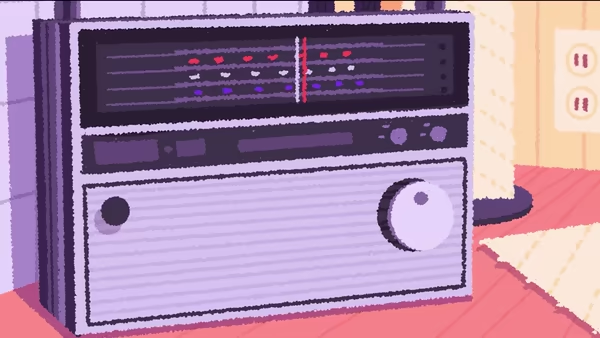
Move over lo-fi beats! Cook along to Venba's unique original soundtrack, inspired by Tamil music throughout the ages. And when you can't get enough, return to the newly-added in-game radio to listen to the OST on-demand!
Feast your eyes on delicious visuals

Venba's warm, stylized art brings the game's food and story to life! So good you can almost taste it.
From the store page, unedited. May contain spoilers.
This release
Reviews and playtime
Very Positive
93% of 2,520
The game
Genres and features
How to install Venba
Pre-installed, so there is no setup wizard. Follow these in order.
- 01
Create a games folder
Make a folder like C:\Games\ and keep every game in it. Avoid Program Files, Downloads and the Desktop.
- 02
Exclude it from Windows Defender
Defender often deletes cracked files by mistake while they extract. Add C:\Games\ as an excluded folder:
Windows Security -> Virus & threat protection -> Manage settings -> Exclusions -> Add an exclusion -> Folder
- 03
Download into C:\Games\
Save the archive straight into that folder. This release is one 749.5 MB file.
- 04
Extract it there
Use 7-Zip or WinRAR. Keep about 1.6 GB free while it unpacks.
- One file
- Right-click it -> Extract here.
- Several parts
- Extract only part1 (or .001). The other parts are read automatically.
- 05
Open README.html
It is inside the extracted folder and explains how to start the game.
Still stuck? Read the install help
Download
Set up your games folder and the Defender exclusion before you extract. The Install tab has the steps.
FileDitch
The whole game in one file
Gofile (legacy)
The whole game in one file
We don't accept fix requests when only one host is down. Please use another mirror above. Links broken? Let us know.
We never password-protect files or hide installers. If a page asks for a password or payment, that is the host's ad, not us. See our safety guide.
System requirements
- Min
- 1.8 GHz or faster processor
- Rec
- 2.8 GHz or faster processor
- Min
- 1 GB RAM
- Rec
- 2 GB RAM
Windows 7 Service Pack 1
Direct X 9.0c compatible video card
Version 9.0c
4 GB available space
Any
These are the developer's listed requirements and may not be 100% accurate. If your specs fall below the minimum, try the game anyway; many games run fine below the listed requirements. When in doubt, check YouTube for performance benchmarks.