
314 Arts2020Action, Indie
3.6GBBuild 9007440Updated 53 days ago
About Vengeance
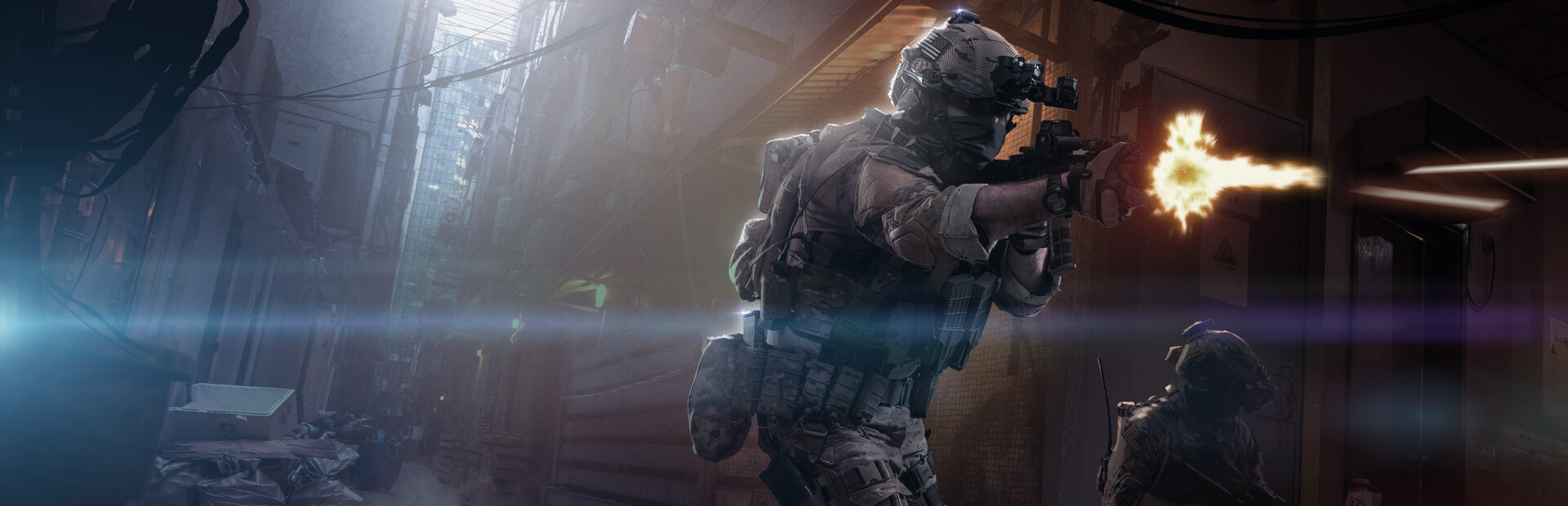
Experience the thrill of classic arena shooters reborn. Vengeance delivers nonstop, skill-driven combat with fast respawns, chaotic maps, and authentic weapon recoil. Forget microtransactions—just pure, old-school shooting fun. Play fast. Play the past!
⚠️DISCLAIMER
Vengeance has a small but passionate community. Finding a match with other players can sometimes take time — but don’t worry! The game features full bot support for all modes, so you can always jump straight into the action.
If you’re unsure whether this suits your playstyle, try out the free Demo before purchasing.
Play Fast Play The Past

Vengeance is an old-modern-school shooter — a paradox that just works.
Forget microtransactions, loot boxes, or endless grind. Vengeance brings back the raw, skill-based fun of classic shooters from the mid-2000s.
If you loved fast-paced online shooters from that era, you’ll feel right at home here.
Small Chaotic Maps

Every map in Vengeance is designed for speed and intensity.
No waiting, no downtime — respawn instantly and get back into the fight.
With five compact, chaotic maps, expect nonstop action and heart-pounding close encounters.
Your Playstyle Your Weapon

Pick from over 20 unique weapons — from submachine guns to shotguns and everything in between.
Each weapon has its own personality, recoil, and rhythm. Find your favorite and master it.
No Players No Problem

Can’t find a match? Jump in with fully supported bots.
Earn ranks, unlock new weapons, and progress through the game — all without needing real opponents.
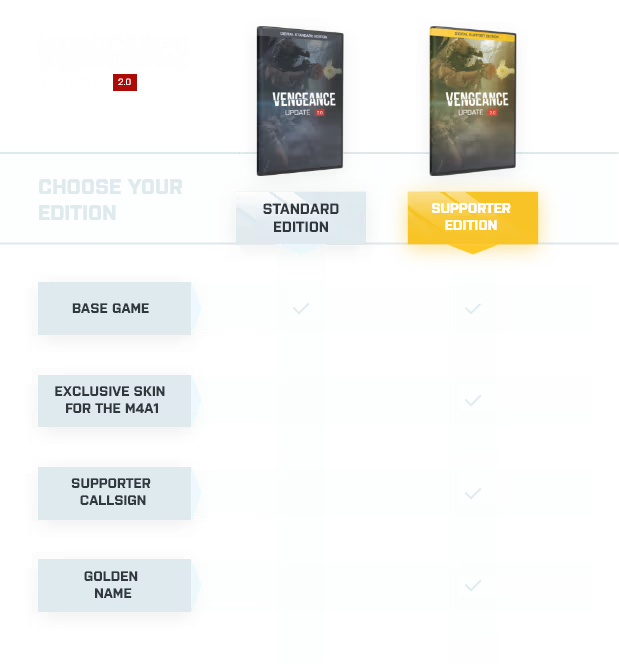
GAME EDITIONS
Not Convinced?
Try the free Demo version of Vengeance!
It includes all maps and two weapons — the M4 and P350 — so you can experience the gameplay before committing.
From the store page, unedited. May contain spoilers.
This release
Reviews and playtime
Mostly Positive
76% of 319
The game
Genres and features
How to install Vengeance
Pre-installed, so there is no setup wizard. Follow these in order.
- 01
Create a games folder
Make a folder like C:\Games\ and keep every game in it. Avoid Program Files, Downloads and the Desktop.
- 02
Exclude it from Windows Defender
Defender often deletes cracked files by mistake while they extract. Add C:\Games\ as an excluded folder:
Windows Security -> Virus & threat protection -> Manage settings -> Exclusions -> Add an exclusion -> Folder
- 03
Download into C:\Games\
Save the archive straight into that folder. This release is one 3.6GB file.
- 04
Extract it there
Use 7-Zip or WinRAR. Keep about 7.9 GB free while it unpacks.
- One file
- Right-click it -> Extract here.
- Several parts
- Extract only part1 (or .001). The other parts are read automatically.
- 05
Open README.html
It is inside the extracted folder and explains how to start the game.
Still stuck? Read the install help
Download
Set up your games folder and the Defender exclusion before you extract. The Install tab has the steps.
FileDitch
The whole game in one file
VikingFile
The whole game in one file
Gofile (legacy)
The whole game in one file
We don't accept fix requests when only one host is down. Please use another mirror above. Links broken? Let us know.
We never password-protect files or hide installers. If a page asks for a password or payment, that is the host's ad, not us. See our safety guide.
System requirements
- Min
- Windows 10 or higher; 64 bit version
- Rec
- Windows 10; 64 bit version
- Min
- AMD FX-8320 or better
- Rec
- Intel i7-4770K
- Min
- 8 GB RAM
- Rec
- 16 GB RAM
- Min
- AMD Radeon R9 270 2GB or better
- Rec
- Nvidia GTX 1060 6GB
Version 11
10 GB available space
DirectX Compatible
Broadband Internet connection
64 bit version IS required to play the game!
These are the developer's listed requirements and may not be 100% accurate. If your specs fall below the minimum, try the game anyway; many games run fine below the listed requirements. When in doubt, check YouTube for performance benchmarks.