yuzhen2026RPG, Action
12.6GBBuild 22898304Updated 37 days ago
About Weird RPG 2
An innovative third-person action RPG where you can choose traditional weapons to fight monsters fairly, or activate cheats like godly powers. The unique voice-controlled gear system lets you summon spells or enhance yourself. This is definitely an adventure you've never experienced before!
Weird RPG 2 is an innovative third-person action RPG.
The combat system is built around parries, similar to Sekiro. The difficulty is lower than most Souls-like games, with no death penalties.
Never tried Sekiro? Worried about its difficulty? This game is perfect for you.
Already experienced Sekiro? Then the game's innovative equipment system will be your perfect choice.
The game focuses on monster hunting, looting, exploring maps, and boss challenges. A wide range of unique gear and items will bring you an extraordinary adventure.
• Transformation System
You can choose to duel fairly with enemies or transform into an unstoppable force, locking heads with guns!

• Parry Combat
The core combat mechanic is parrying. The system has a friendly design with relaxed timing, letting players enjoy the joy of swordplay easily.

• Voice-Controlled
By using a microphone, you can control magic to attack enemies, offering a unique combat experience.
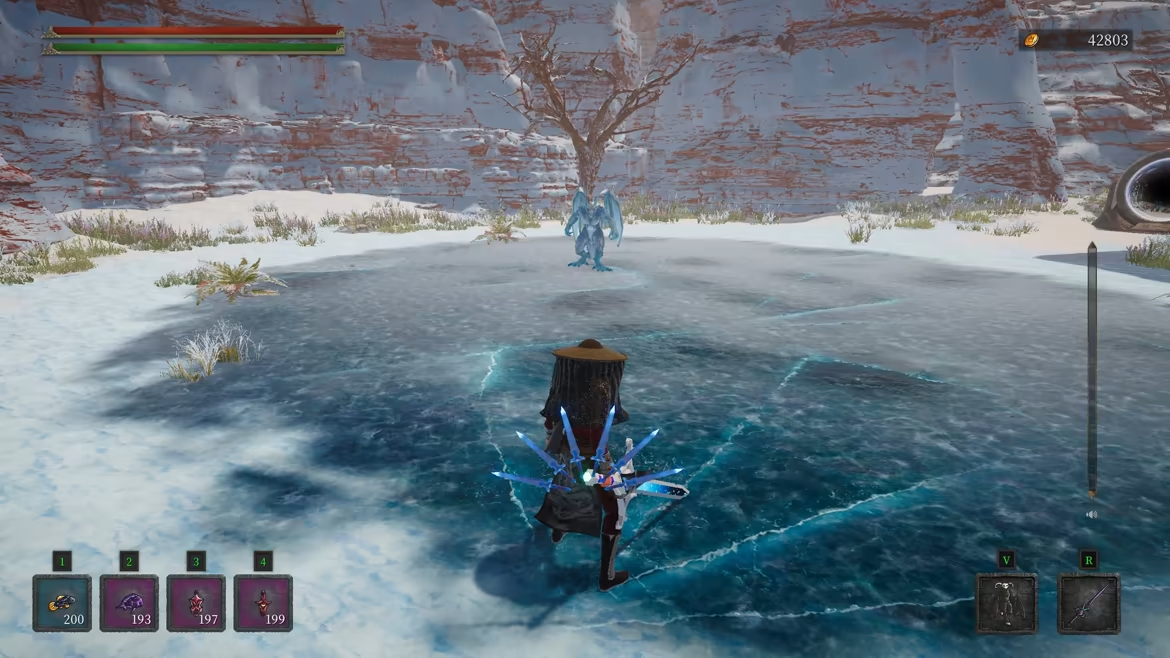
• Unknowns and Challenges
The game is full of unknowns and challenges! Encounter monsters of all shapes and sizes, with surprises waiting at every turn.

This game was developed by a single person and took about 4 years to complete.
From the store page, unedited. May contain spoilers.
This release
Reviews and playtime
Very Positive
92% of 815
The game
Genres and features
How to install Weird RPG 2
Pre-installed, so there is no setup wizard. Follow these in order.
- 01
Create a games folder
Make a folder like C:\Games\ and keep every game in it. Avoid Program Files, Downloads and the Desktop.
- 02
Exclude it from Windows Defender
Defender often deletes cracked files by mistake while they extract. Add C:\Games\ as an excluded folder:
Windows Security -> Virus & threat protection -> Manage settings -> Exclusions -> Add an exclusion -> Folder
- 03
Download into C:\Games\
Save the archive straight into that folder. This release is one 12.6GB file.
- 04
Extract it there
Use 7-Zip or WinRAR. Keep about 27.7 GB free while it unpacks.
- One file
- Right-click it -> Extract here.
- Several parts
- Extract only part1 (or .001). The other parts are read automatically.
- 05
Open README.html
It is inside the extracted folder and explains how to start the game.
Still stuck? Read the install help
Download
Set up your games folder and the Defender exclusion before you extract. The Install tab has the steps.
FilesYard
The whole game in one file
FileDitch
The whole game in one file
VikingFile
The whole game in one file
We don't accept fix requests when only one host is down. Please use another mirror above. Links broken? Let us know.
We never password-protect files or hide installers. If a page asks for a password or payment, that is the host's ad, not us. See our safety guide.
System requirements
- Min
- Intel Core i5-8400 / AMD Ryzen 5 1600
- Rec
- Intel Core i7-9700 / AMD Ryzen 5 5500
- Min
- 12 GB RAM
- Rec
- 16 GB RAM
- Min
- NVIDIA GEFORCE GTX 1070 8 GB or AMD RADEON RX VEGA 56 8 GB
- Rec
- NVIDIA GeForce RTX 2060 / AMD Radeon RX 5700 XT / INTEL Arc A750
Windows 10 64-bit
20 GB available space
These are the developer's listed requirements and may not be 100% accurate. If your specs fall below the minimum, try the game anyway; many games run fine below the listed requirements. When in doubt, check YouTube for performance benchmarks.