
Dark Machine Games2025Horror, Roguelike
4.8GBBuild 26883757Updated 4 days ago
About White Knuckle
White Knuckle is a first-person roguelite speed-climbing game. Ascend through the guts of SUB-STRUCTURE 17 using precision movement mechanics. Sharp reflexes and resource management will bring you out from under ten thousand meters of concrete and decay.

White Knuckle is a first person roguelite speed-climbing game.
Use momentum-based movement mechanics with precision, deploy a variety of tools and resources, and ascend as fast as you can.
Just don't lose your grip, there’s eternity below you.

Manage your inventory or become encumbered and fall to your death. Failure to grab what you need from your bag in time can spell disaster.
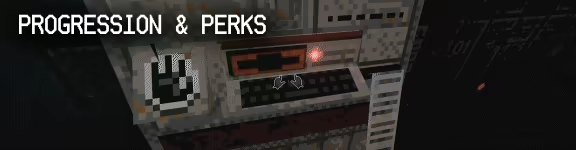
Through run-based meta-progression, you’ll discover and unlock varied augmentations.
Bolster your will to ascend.
You're not alone down here. Strange life flourishes far underground, and darker things haunt these halls. Something oozes from the depths– following you, growing angrier… and it won't let up.
Travel through different regions with unique threats and gameplay challenges during your attempted escape of the underground megastructure.
The deep dry storage of the Silos, the putrid sewers of the Pipeworks, the haunted piers of Habitation. Each area will require adaptation to new obstacles and denizens.
From the store page, unedited. May contain spoilers.
This release
Reviews and playtime
Overwhelmingly Positive
97% of 15,939
The game
Genres and features
How to install White Knuckle
Pre-installed, so there is no setup wizard. Follow these in order.
- 01
Create a games folder
Make a folder like C:\Games\ and keep every game in it. Avoid Program Files, Downloads and the Desktop.
- 02
Exclude it from Windows Defender
Defender often deletes cracked files by mistake while they extract. Add C:\Games\ as an excluded folder:
Windows Security -> Virus & threat protection -> Manage settings -> Exclusions -> Add an exclusion -> Folder
- 03
Download into C:\Games\
Save the archive straight into that folder. This release is one 4.8GB file.
- 04
Extract it there
Use 7-Zip or WinRAR. Keep about 10.6 GB free while it unpacks.
- One file
- Right-click it -> Extract here.
- Several parts
- Extract only part1 (or .001). The other parts are read automatically.
- 05
Open README.html
It is inside the extracted folder and explains how to start the game.
Still stuck? Read the install help
Download
Set up your games folder and the Defender exclusion before you extract. The Install tab has the steps.
FilesYard
The whole game in one file
FileDitch
The whole game in one file
VikingFile
The whole game in one file
We don't accept fix requests when only one host is down. Please use another mirror above. Links broken? Let us know.
We never password-protect files or hide installers. If a page asks for a password or payment, that is the host's ad, not us. See our safety guide.
System requirements
- Min
- Windows 7 Or Later
- Rec
- Windows 10
- Min
- 2.4GHZ Dual Core Processor Or Higher
- Rec
- 2.4 GHZ Quad Core Processor Or Higher
- Min
- 2 GB RAM
- Rec
- 4 GB RAM
- Min
- GTX 670 or Equivalent
- Rec
- GTX 1060 or Equivalent
Version 9.0
2 GB available space
These are the developer's listed requirements and may not be 100% accurate. If your specs fall below the minimum, try the game anyway; many games run fine below the listed requirements. When in doubt, check YouTube for performance benchmarks.