
Widget Idle
GrapeScape2026Idle, Casual
505.0MBBuild 26860769Updated 5 days ago
About Widget Idle
Your desktop is its controller. Every click, keypress, and mouse movement helps it grow. Widget Idle lives quietly in the corner of your desktop while you get on with the more important things in life. Now with a little extra happiness :)

Always playing: your desktop is Widget Idle's controller!
Widget Idle turns everything you already do on your computer into game input. Every click, every keypress, every movement of your mouse comes with a little incremental sense of accomplishment.
Widget Idle gives every click a little extra oomph. Whether you're chatting, editing photos, or writing (copy-pasting) code, you're always growing your economy. Neat!
We take particular care in how the game collects and uses data. It only reads the bare minimum it needs to run, and never stores or uploads the context, content or intent of anything you do. (See the appendix)
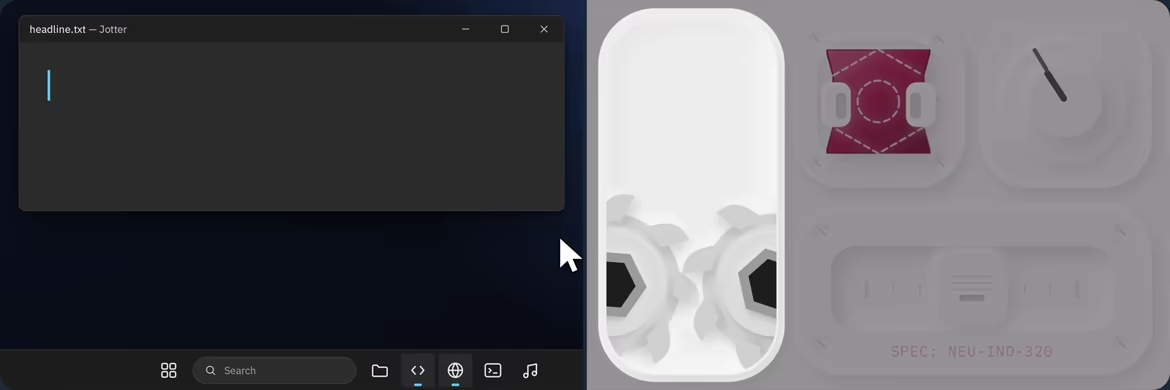
Satisfying animations and gameplay!
We carefully designed every interaction you'll have in Widget Idle.
From big feature unlocks to the smallest page switch, we hope these animations and sounds are ones you'll never want to put down!

Ever-evolving desktop companions!
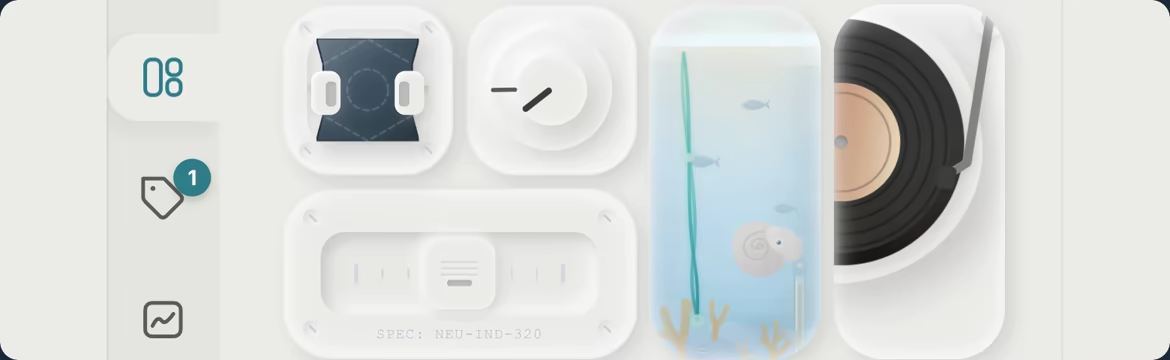
Collect 16 adorable desktop widgets and unlock their expected, and unexpected, new features!
(We are not responsible if you get too attached.)

Gotta have them all!
Explore hidden (and not-so-hidden) mechanics, and collect and curate 100+ unique achievement stamps. (Supports Steam's new achievement system at launch!)
Display them proudly, show them off to your friends, and tell them just how productive you've been.

Customize your experience!
Widget Idle is a carefully designed and curated experience. That said, we know everyone enjoys games in their own way.
You're free to adjust:
Dark/light mode
14 accessible color palettes
Window zoom, with quick switching
Reduced motion
High contrast mode
Per-mechanic volume
Privacy settings
A boss key
and more...!
Wishlist now!
Not interested? You can still add it...
What if you change your mind someday?
It's not like we're going anywhere.
Privacy appendix.
Here's exactly how Widget Idle handles your data.
With background input turned on, the game reads: that a key was pressed, that a mouse button was pressed, that the mouse moved and how far, that the scroll wheel moved and how far.
With a Photocopier, the game reads: that your clipboard changed.
With a CPU Load Monitor, the game reads: your CPU load.
Widget Idle never sends anything you type anywhere or saves it to any files, and never reads your screen.
What Widget Idle sends: Steam achievements, Discord Rich Presence (can be turned off), and the city you choose for weather forecast, or (with your permission) the location of your IP for weather forecast.
From the store page, unedited. May contain spoilers.
This release
Reviews and playtime
Very Positive
96% of 382
The game
Genres and features
How to install Widget Idle
Pre-installed, so there is no setup wizard. Follow these in order.
- 01
Create a games folder
Make a folder like C:\Games\ and keep every game in it. Avoid Program Files, Downloads and the Desktop.
- 02
Exclude it from Windows Defender
Defender often deletes cracked files by mistake while they extract. Add C:\Games\ as an excluded folder:
Windows Security -> Virus & threat protection -> Manage settings -> Exclusions -> Add an exclusion -> Folder
- 03
Download into C:\Games\
Save the archive straight into that folder. This release is one 505.0MB file.
- 04
Extract it there
Use 7-Zip or WinRAR. Keep about 1.1 GB free while it unpacks.
- One file
- Right-click it -> Extract here.
- Several parts
- Extract only part1 (or .001). The other parts are read automatically.
- 05
Open README.html
It is inside the extracted folder and explains how to start the game.
Still stuck? Read the install help
Download
Set up your games folder and the Defender exclusion before you extract. The Install tab has the steps.
FilesYard
The whole game in one file
FileDitch
The whole game in one file
VikingFile
The whole game in one file
We don't accept fix requests when only one host is down. Please use another mirror above. Links broken? Let us know.
We never password-protect files or hide installers. If a page asks for a password or payment, that is the host's ad, not us. See our safety guide.
System requirements
- Min
- Windows 10 64-bit
- Rec
- Windows 11 64-bit
- Min
- Intel Core i5-8250U
- Rec
- AMD Ryzen 7 7840U
- Min
- 8 GB RAM
- Rec
- 16 GB RAM
- Min
- Intel Iris Xe / AMD Radeon Vega 7
- Rec
- AMD Radeon 780M / RX 6400 or Nvidia GTX 1650
- Min
- Version 11
- Rec
- Version 12
- Min
- "Sweet Potato" Graphics Setting Recommended
- Rec
- -
1 GB available space
These are the developer's listed requirements and may not be 100% accurate. If your specs fall below the minimum, try the game anyway; many games run fine below the listed requirements. When in doubt, check YouTube for performance benchmarks.