Noname Studios2023Platformer, Metroidvania
2.0GBBuild 17064211Updated 70 days ago
About Worldless
Worldless is a stylised 2D platformer with a unique combat system and a mind-bending interpretative narrative. Players embark on a journey of self-growth and understanding, pushing the limits of their nature in a newly born and abstract universe.
Worldless unfolds in a newborn universe where entities are locked in an eternal conflict fueled by the polarizing nature of their attractions. These encounters can trigger an unstable exchange of polarities with transformations that are unpredictable and full of mysterious consequences.
In this stylized 2D platformer, you will explore intricate and interconnected realms brimming with secrets and mysteries. Master a rich set of abilities such as dashing and wall jumping to traverse these abstract landscapes.
Along your journey, you will face beings determined to stop you as you search for your place within this universe. Battles blend classic turn based strategy with real time action elements, demanding deep knowledge of mechanics for a thrilling and strategic combat.

Uncover unimaginable possibilities by dashing, jumping, and weaving through surreal environments on a quest for transcendence.


Customize your growth through a deep and rewarding talent tree designed to fit your playstyle.


Engage in fast-paced battles where mastering your attacks and defenses is key to overcoming your enemies.
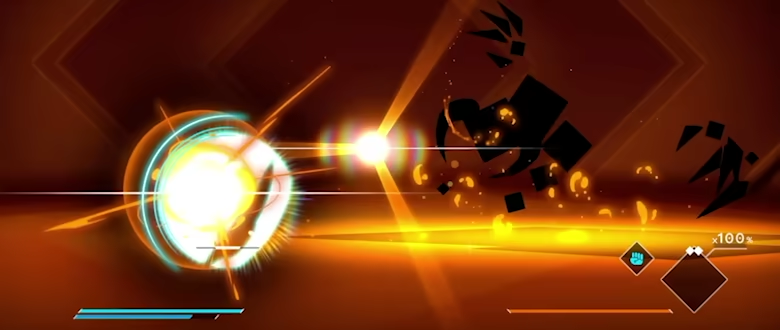

Lose yourself in haunting yet beautiful melodies that connect you deeply to every corner of the world of Worldless.
From the store page, unedited. May contain spoilers.
This release
Includes1 DLC
- Worldless Soundtrack
Reviews and playtime
Very Positive
94% of 1,606
The game
Genres and features
How to install Worldless
Pre-installed, so there is no setup wizard. Follow these in order.
- 01
Create a games folder
Make a folder like C:\Games\ and keep every game in it. Avoid Program Files, Downloads and the Desktop.
- 02
Exclude it from Windows Defender
Defender often deletes cracked files by mistake while they extract. Add C:\Games\ as an excluded folder:
Windows Security -> Virus & threat protection -> Manage settings -> Exclusions -> Add an exclusion -> Folder
- 03
Download into C:\Games\
Save the archive straight into that folder. This release is one 2.0GB file.
- 04
Extract it there
Use 7-Zip or WinRAR. Keep about 4.4 GB free while it unpacks.
- One file
- Right-click it -> Extract here.
- Several parts
- Extract only part1 (or .001). The other parts are read automatically.
- 05
Open README.html
It is inside the extracted folder and explains how to start the game.
Still stuck? Read the install help
Download
Set up your games folder and the Defender exclusion before you extract. The Install tab has the steps.
VikingFile
The whole game in one file
0807
The whole game in one file
Gofile (legacy)
The whole game in one file
We don't accept fix requests when only one host is down. Please use another mirror above. Links broken? Let us know.
We never password-protect files or hide installers. If a page asks for a password or payment, that is the host's ad, not us. See our safety guide.
System requirements
- Min
- Windows 7 (64bit)
- Rec
- Windows 10 (64bit)
- Min
- Intel Core 2 Duo E5200
- Rec
- Intel Core i5
- Min
- 8 GB RAM
- Rec
- 16 GB RAM
- Min
- GeForce 9800GTX+ (1GB)
- Rec
- GeForce GTX 560
- Min
- -
- Rec
- Version 11
4 GB available space
These are the developer's listed requirements and may not be 100% accurate. If your specs fall below the minimum, try the game anyway; many games run fine below the listed requirements. When in doubt, check YouTube for performance benchmarks.