Lince Works2021Stealth, Action
5.5 GBBuild 20757850Updated 158 days ago
About Aragami 2
Aragami 2 is a third person stealth game where you play as an assassin with the power to control the shadows. Join the shadow clan and fight the invader armies to protect your people.
You are one of the last elite warriors of your kin, the Aragami. Victims of a supernatural affliction which corrodes the body and devours the mind, the Aragami control Shadow Essence - a mystical power which grants the ability to control the shadows. With this power the Aragami carry out their tasks and quests - assignments made all along the valley to ensure the subsistence of the village and to free the Aragami enslaved by the invader armies.
PLAY IN SINGLE MODE OR IN CO-OP WITH YOUR FRIENDS
 Discover a full campaign and join the assassin squad up to 3 players in co-op.
ENGAGE IN FAST-PACED STEALTH ACTIONS
 Manage covers and powers with agility. Take down your enemies with stealth kills and non-lethal takedowns.
ENTER INTO COMBAT AS A TACTICAL DECISION
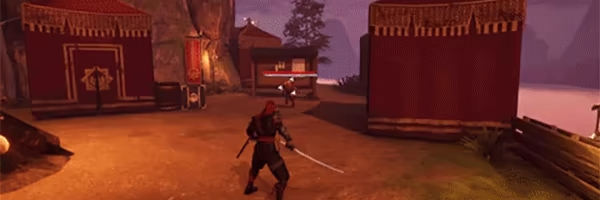 Become the master of a skill based combat with high risk and high reward.
BUILD YOUR SHADOW ASSASSIN
 Craft your weapons and armors and upgrade your elite warrior with a wide variety of abilities and shadow powers.
PROTECT THE RASHOMON VALLEY
 Save your people and defeat the curse before it ends with you and discover how the Aragami became a legend.
From the store page, unedited. May contain spoilers.
This release
Reviews and playtime
Mostly Positive
76% of 3,487
The game
Genres and features
How to install Aragami 2
Pre-installed, so there is no setup wizard. Follow these in order.
- 01
Create a games folder
Make a folder like C:\Games\ and keep every game in it. Avoid Program Files, Downloads and the Desktop.
- 02
Exclude it from Windows Defender
Defender often deletes cracked files by mistake while they extract. Add C:\Games\ as an excluded folder:
Windows Security -> Virus & threat protection -> Manage settings -> Exclusions -> Add an exclusion -> Folder
- 03
Download into C:\Games\
Save the archive straight into that folder. This release is one 5.5 GB file.
- 04
Extract it there
Use 7-Zip or WinRAR. Keep about 12.2 GB free while it unpacks.
- One file
- Right-click it -> Extract here.
- Several parts
- Extract only part1 (or .001). The other parts are read automatically.
- 05
Open README.html
It is inside the extracted folder and explains how to start the game.
Still stuck? Read the install help
Download
Set up your games folder and the Defender exclusion before you extract. The Install tab has the steps.
FileDitch
The whole game in one file
FileQ
The whole game in one file
Gofile (legacy)
The whole game in one file
We don't accept fix requests when only one host is down. Please use another mirror above. Links broken? Let us know.
We never password-protect files or hide installers. If a page asks for a password or payment, that is the host's ad, not us. See our safety guide.
System requirements
- Min
- AMD FX-6100/Intel i3-3220 or Equivalent
- Rec
- AMD Ryzen 7 1700/Intel i7-6700K or Equivalent
- Min
- 8 GB RAM
- Rec
- 16 GB RAM
- Min
- AMD Radeon HD 7750, NVIDIA GeForce GTX 650 or Equivalent
- Rec
- AMD RX Vega 56, Nvidia GTX 1070/GTX1660Ti or Equivalent
64-bit Windows 7/8.1/10
Version 11
11 GB available space
These are the developer's listed requirements and may not be 100% accurate. If your specs fall below the minimum, try the game anyway; many games run fine below the listed requirements. When in doubt, check YouTube for performance benchmarks.