
Lince Works2016Stealth, Action
2.7 GBBuild 20758003Updated 159 days ago
About Aragami
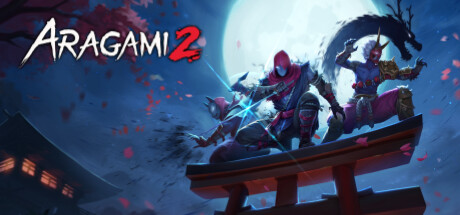
Aragami is a third person stealth game that casts you as an undead assassin with the power to control the shadows. Teleport to any shadow, become invisible, materialize weapons or even summon a shadow dragon to infiltrate the enemy ranks and dispose of your targets.

You are Aragami, a vengeful spirit with the power to control the shadows. You’ve been summoned by Yamiko, a girl imprisoned in the city fortress of Kyuryu. Embark on a dark journey full of blood and secrets to discover the truth about aragami. Infiltrate the occupied city of Kyuryu with your supernatural powers and fight Light with Shadow. Uncover a story about twin souls bound together by destiny that surpasses time and memory.
Key Features:
- EMBRACE THE SHADOWS
Create your own shadows to become invisible. Teleport from shadow to shadow while you hunt down your targets. Use a wide array of Shadow Powers to creatively dispatch your enemies. - CHOOSE YOUR PLAYSTYLE
Multiple paths to beat each scenario and approach every situation. Play as a merciless emissary of death or an undetectable ghost. Your story, your choices. - BECOME ARAGAMI
Fight Kaiho, the army of Light, and rescue Yamiko – the mysterious girl that summoned you and that is the key to your existence.
From the store page, unedited. May contain spoilers.
This release
Reviews and playtime
Very Positive
90% of 10,245
The game
Genres and features
How to install Aragami
Pre-installed, so there is no setup wizard. Follow these in order.
- 01
Create a games folder
Make a folder like C:\Games\ and keep every game in it. Avoid Program Files, Downloads and the Desktop.
- 02
Exclude it from Windows Defender
Defender often deletes cracked files by mistake while they extract. Add C:\Games\ as an excluded folder:
Windows Security -> Virus & threat protection -> Manage settings -> Exclusions -> Add an exclusion -> Folder
- 03
Download into C:\Games\
Save the archive straight into that folder. This release is one 2.7 GB file.
- 04
Extract it there
Use 7-Zip or WinRAR. Keep about 5.9 GB free while it unpacks.
- One file
- Right-click it -> Extract here.
- Several parts
- Extract only part1 (or .001). The other parts are read automatically.
- 05
Open README.html
It is inside the extracted folder and explains how to start the game.
Still stuck? Read the install help
Download
Set up your games folder and the Defender exclusion before you extract. The Install tab has the steps.
FileDitch
The whole game in one file
Pixeldrain
The whole game in one file
Pixeldrain slows free downloads to a few MB/s. The Copy fast link button gives you a bypass link with no speed limit. Paste it into your download manager, or into your browser's address bar.
Gofile (legacy)
The whole game in one file
We don't accept fix requests when only one host is down. Please use another mirror above. Links broken? Let us know.
We never password-protect files or hide installers. If a page asks for a password or payment, that is the host's ad, not us. See our safety guide.
System requirements
- Min
- Windows 7/8.1/10
- Rec
- -
- Min
- Intel Core i5
- Rec
- -
- Min
- 8 GB RAM
- Rec
- -
- Min
- 2GB of Video Memory, NVIDIA GeForce GTX 660, AMD Radeon HD7870
- Rec
- -
- Min
- Version 11
- Rec
- -
- Min
- 6 GB available space
- Rec
- -
- Min
- Integrated audio interface
- Rec
- -
- Min
- Required: Keyboard and Mouse with Secondary click enabled or gamepad (such as PS3 controller, Xbox 360 controller for Windows or Logitech gamepads).
- Rec
- -
These are the developer's listed requirements and may not be 100% accurate. If your specs fall below the minimum, try the game anyway; many games run fine below the listed requirements. When in doubt, check YouTube for performance benchmarks.