Triplejump2026Sandbox, Simulation
209.7MBBuild 25091913Updated 85 days ago
About Atomcraft
A sandbox adventure where every pixel is physically and chemically simulated! Build intricate, fully functional machines from the pixels around you. Harvest, react, and manipulate all 118 elements to craft everything from simple tools to complex systems.
Atomcraft is a game where you can pick up and place every pixel of the environment. Pixels react to whatever is around them, and you can build vessels and machines to make reactions happen.

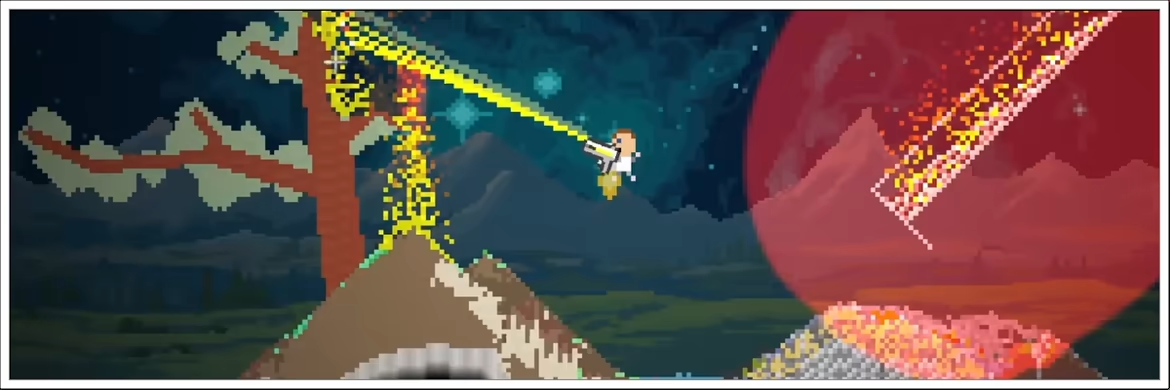
Upgrade your drill and your tools to dig deeper and deeper into the planet in search of better materials!
Smelt ore and perform chemical reactions!
Build machines to do chemistry and extract elements!
and repair your spaceship piece by piece!
Every element on the periodic table will exist somewhere on the planet, although extracting them from their ores may require some creativity!


You can also craft mechanical pixels, such as:
conveyor belts
trapdoors
heating and cooling elements
wiring for signal-based machines
buttons, switches, and sensors
and even logic gates!
Advanced materials like nitroglycerin require careful construction of reaction machines to craft them without the materials exploding!
Delve deeper and deeper through the layers of the planet until you discover every material on the periodic table, repair the systems of your crashed ship, and possibly uncover the fate of this mysterious world!
From the store page, unedited. May contain spoilers.
This release
Reviews and playtime
Very Positive
95% of 460
The game
Genres and features
How to install Atomcraft
Pre-installed, so there is no setup wizard. Follow these in order.
- 01
Create a games folder
Make a folder like C:\Games\ and keep every game in it. Avoid Program Files, Downloads and the Desktop.
- 02
Exclude it from Windows Defender
Defender often deletes cracked files by mistake while they extract. Add C:\Games\ as an excluded folder:
Windows Security -> Virus & threat protection -> Manage settings -> Exclusions -> Add an exclusion -> Folder
- 03
Download into C:\Games\
Save the archive straight into that folder. This release is one 209.7MB file.
- 04
Extract it there
Use 7-Zip or WinRAR. Keep about 461.3 MB free while it unpacks.
- One file
- Right-click it -> Extract here.
- Several parts
- Extract only part1 (or .001). The other parts are read automatically.
- 05
Open README.html
It is inside the extracted folder and explains how to start the game.
Still stuck? Read the install help
Download
Set up your games folder and the Defender exclusion before you extract. The Install tab has the steps.
FileDitch
The whole game in one file
FileQ
The whole game in one file
Pixeldrain
The whole game in one file
Pixeldrain slows free downloads to a few MB/s. The Copy fast link button gives you a bypass link with no speed limit. Paste it into your download manager, or into your browser's address bar.
Gofile (legacy)
The whole game in one file
We don't accept fix requests when only one host is down. Please use another mirror above. Links broken? Let us know.
We never password-protect files or hide installers. If a page asks for a password or payment, that is the host's ad, not us. See our safety guide.
System requirements
- Min
- Windows 10 or later versions
- Min
- 2.0 Ghz
- Min
- 3 GB RAM
- Min
- 200 MB available space
These are the developer's listed requirements and may not be 100% accurate. If your specs fall below the minimum, try the game anyway; many games run fine below the listed requirements. When in doubt, check YouTube for performance benchmarks.