Poly Games2022Action, Simulation
393.3 MBBuild 22131121Updated 176 days ago
About Oblivity
Oblivity is an advanced aim training software that provides everything you need to improve your aim! Find your perfect, intuitive mouse sensitivity with Oblivity's sensitivity finder. Or detect your bad aiming habits in the extensive analysis and replay space.

Aim Trainer:
In Oblivity's trainer you can try out your new mouse sensitivity right away. You will find anything in the continuously growing online library of scenarios and playlists. How high can you climb the leaderboards against other players and your friends? You can also create scenarios yourself, upload them and share them with the Oblivity community. Special aim training technies such as mouse pathing or metronom aiming are supported as well.

Sensitivity Finder:
The sensitivity finder is a unique feature Oblivity is especially known for. It will help you to find an optimal mouse sensitivity for your favourite game!
You play a selection of scenarios matching your selected FPS game.
Each round your mouse sensitivity changes. Oblivitys algorithm tracks your performance and mouse movement data to determine the sensitivity you perform best with. Over a longer playtime, Oblivity can collect enough data to show you exactly how well you perform on different mouse sensitivity levels.

Smart Play:
Smart Play is the perfect place to discover new scenarios. Just click "Next" and we will pick the following scenario based on your liking and preferences.

Analysis:
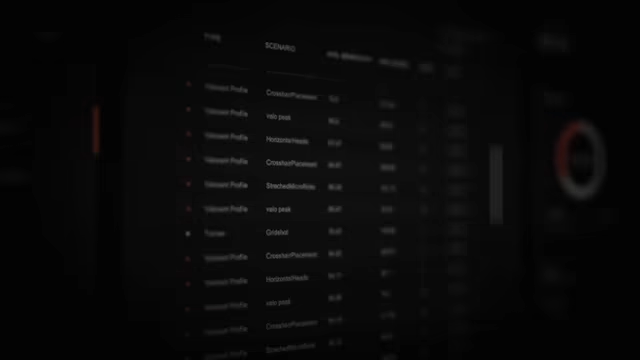
After your training session, you can immediately view the statistics of your runs in the analysis section. Oblivity provides as much data as possible to show where you have weaknesses and do aiming mistakes. This includes the usual information like accuracy, mouse speed and score. But you will also see data such as the deviation from the ideal aiming path, overshoot, undershoot or aiming smoothness.
Replay:
Every run can be rewatched with the replay tool. The timeline shows, where you did which mistake. Be it over- undershooting the deviation or your overall performance. The playback speed can be adjusted to any level. You can also turn on onscreen indicators that show your aim line compared to the optimal aiming path.

Converter:
Oblivity also offers a converter. It is not only intended to convert your new Oblivity mouse sensitivity to that of your favorite game. You can very accurately convert the sensitivity of all supported first person shooters to that of any another game.
Options:
Oblivity is fully customizable! You can adjust anything to create your perfect, individual aim training experience. To name some examples: Change any ingame colour, create your own crosshair, import your own sound effects and customize the ingame HUD. Of course you can also set all technical values. Oblivity supports different FOV types, each keybind can be changed, different monitor resolutions and aspect ratios are supported.

From the store page, unedited. May contain spoilers.
This release
Reviews and playtime
Very Positive
81% of 1,483
The game
Genres and features
How to install Oblivity
Pre-installed, so there is no setup wizard. Follow these in order.
- 01
Create a games folder
Make a folder like C:\Games\ and keep every game in it. Avoid Program Files, Downloads and the Desktop.
- 02
Exclude it from Windows Defender
Defender often deletes cracked files by mistake while they extract. Add C:\Games\ as an excluded folder:
Windows Security -> Virus & threat protection -> Manage settings -> Exclusions -> Add an exclusion -> Folder
- 03
Download into C:\Games\
Save the archive straight into that folder. This release is one 393.3 MB file.
- 04
Extract it there
Use 7-Zip or WinRAR. Keep about 865.3 MB free while it unpacks.
- One file
- Right-click it -> Extract here.
- Several parts
- Extract only part1 (or .001). The other parts are read automatically.
- 05
Open README.html
It is inside the extracted folder and explains how to start the game.
Still stuck? Read the install help
Download
Set up your games folder and the Defender exclusion before you extract. The Install tab has the steps.
FileDitch
The whole game in one file
FileQ
The whole game in one file
Gofile (legacy)
The whole game in one file
We don't accept fix requests when only one host is down. Please use another mirror above. Links broken? Let us know.
We never password-protect files or hide installers. If a page asks for a password or payment, that is the host's ad, not us. See our safety guide.
System requirements
- Min
- Intel Core i3
- Rec
- Intel Core i5
- Min
- 4 GB RAM
- Rec
- 6 GB RAM
- Min
- GTX 560
- Rec
- GTX 960
- Min
- 600 MB available space
- Rec
- 1 GB available space
Windows 10
As long as your pc isn't a potato you shouldn't have any performance issues.
These are the developer's listed requirements and may not be 100% accurate. If your specs fall below the minimum, try the game anyway; many games run fine below the listed requirements. When in doubt, check YouTube for performance benchmarks.