
Othercide
Lightbulb Crew2020Strategy, Indie
5.4GBBuild 7883621Updated 38 days ago
About Othercide
As Humanity’s last hope, lead your army to combat in an intricate dance of spectacular actions and counters, using an original Dynamic Timeline System, and face fearsome bosses in epic battles.
Buzz

About the Game
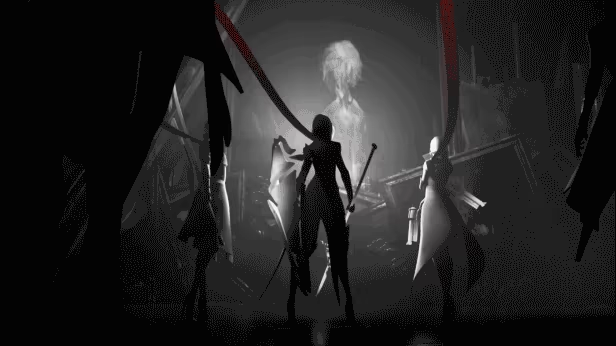
Descend into Humanity’s last hope. The Daughters, echoes of the greatest warrior to ever live, are all who stand before Suffering and death.
Lead your army of Daughters to battle with all the skill you can muster. Your prowess in combat will decide their fate, shape their abilities and personality. Make the toughest decision and sacrifice one to heal another - survivors will get stronger, ready to fight the next battle.
Combat is an intricate dance of spectacular actions and counters: plan ahead of time and set up impressive chains of abilities to outsmart the enemy. Fight in epic boss battles against the sources of Suffering - dread creatures pulled from the worst of Humanity’s crimes against itself.
You will fight. You will fail. You will rise again.
- Lead, evolve and sacrifice your army of Daughters
- Outsmart nightmarish creatures in a spectacular Tactical RPG
- Endless combat possibilities with the Dynamic Timeline System
- A deep and complex narrative
- Failure is not the end. Return with lost powers to face a new nightmare

From the store page, unedited. May contain spoilers.
This release
Reviews and playtime
Very Positive
82% of 4,550
The game
Genres and features



How to install Othercide
Pre-installed, so there is no setup wizard. Follow these in order.
- 01
Create a games folder
Make a folder like C:\Games\ and keep every game in it. Avoid Program Files, Downloads and the Desktop.
- 02
Exclude it from Windows Defender
Defender often deletes cracked files by mistake while they extract. Add C:\Games\ as an excluded folder:
Windows Security -> Virus & threat protection -> Manage settings -> Exclusions -> Add an exclusion -> Folder
- 03
Download into C:\Games\
Save the archive straight into that folder. This release is one 5.4GB file.
- 04
Extract it there
Use 7-Zip or WinRAR. Keep about 11.9 GB free while it unpacks.
- One file
- Right-click it -> Extract here.
- Several parts
- Extract only part1 (or .001). The other parts are read automatically.
- 05
Open README.html
It is inside the extracted folder and explains how to start the game.
Still stuck? Read the install help
Download
Set up your games folder and the Defender exclusion before you extract. The Install tab has the steps.
FilesYard
The whole game in one file
FileDitch
The whole game in one file
VikingFile
The whole game in one file
We don't accept fix requests when only one host is down. Please use another mirror above. Links broken? Let us know.
We never password-protect files or hide installers. If a page asks for a password or payment, that is the host's ad, not us. See our safety guide.
System requirements
- Min
- AMD Phenom 9950 (2.6GHz) / Intel Core2 Quad Q6600 (2.4GHz)
- Rec
- AMD FX-6300 (3.5GHz) / Intel i5-2500 (3.3GHz)
- Min
- 4 GB RAM
- Rec
- 8 GB RAM
- Min
- AMD Radeon R7 260 / NVIDIA GeForce GTX 560
- Rec
- AMD Radeon R9 380/NVIDIA GeForce GTX 770
- Min
- at least 30 FPS average in 1920x1080 with the lowest settings.
- Rec
- 60 FPS in 1920x1080 with the highest settings.
Windows 7/8/10 (64-bit)
Version 11
6 GB available space
These are the developer's listed requirements and may not be 100% accurate. If your specs fall below the minimum, try the game anyway; many games run fine below the listed requirements. When in doubt, check YouTube for performance benchmarks.