BlueTwelve Studio2022Adventure, Puzzle
6.2GBBuild 12863654Updated 23 days ago
About Stray
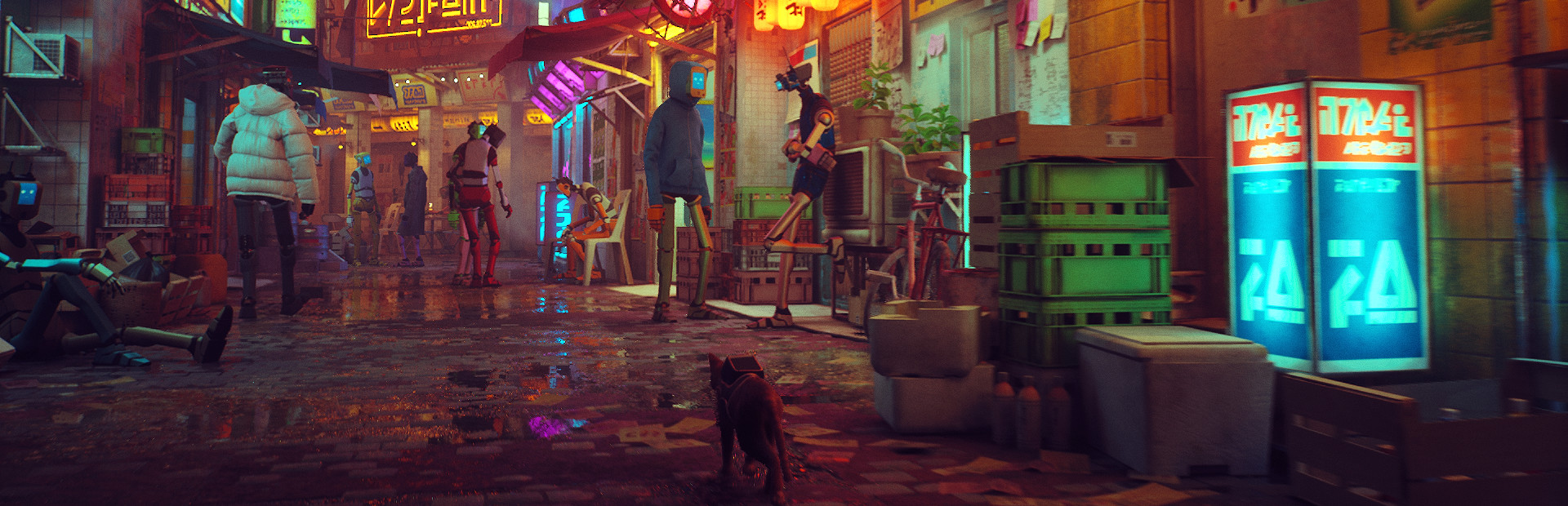
Lost, alone and separated from family, a stray cat must untangle an ancient mystery to escape a long-forgotten cybercity and find their way home.
Stray is a third-person cat adventure game set amidst the detailed, neon-lit alleys of a decaying cybercity and the murky environments of its seedy underbelly. Roam surroundings high and low, defend against unforeseen threats and solve the mysteries of this unwelcoming place inhabited by curious droids and dangerous creatures.
See the world through the eyes of a cat and interact with the environment in playful ways. Be stealthy, nimble, silly, and sometimes as annoying as possible with the strange inhabitants of this mysterious world.
Along the way, the cat befriends a small flying drone, known only as B-12. With the help of this newfound companion, the duo must find a way out.
Stray is developed by BlueTwelve Studio, a small team from the south of France mostly made up of cats and a handful of humans.
From the store page, unedited. May contain spoilers.
This release
Reviews and playtime
Overwhelmingly Positive
97% of 159,459
The game
Genres and features


How to install Stray
Pre-installed, so there is no setup wizard. Follow these in order.
- 01
Create a games folder
Make a folder like C:\Games\ and keep every game in it. Avoid Program Files, Downloads and the Desktop.
- 02
Exclude it from Windows Defender
Defender often deletes cracked files by mistake while they extract. Add C:\Games\ as an excluded folder:
Windows Security -> Virus & threat protection -> Manage settings -> Exclusions -> Add an exclusion -> Folder
- 03
Download into C:\Games\
Save the archive straight into that folder. This release is one 6.2GB file.
- 04
Extract it there
Use 7-Zip or WinRAR. Keep about 13.6 GB free while it unpacks.
- One file
- Right-click it -> Extract here.
- Several parts
- Extract only part1 (or .001). The other parts are read automatically.
- 05
Open README.html
It is inside the extracted folder and explains how to start the game.
Still stuck? Read the install help
Download
Set up your games folder and the Defender exclusion before you extract. The Install tab has the steps.
FilesYard
The whole game in one file
FileDitch
The whole game in one file
VikingFile
The whole game in one file
We don't accept fix requests when only one host is down. Please use another mirror above. Links broken? Let us know.
We never password-protect files or hide installers. If a page asks for a password or payment, that is the host's ad, not us. See our safety guide.
System requirements
- Min
- Intel Core i5-2300 | AMD FX-6350
- Rec
- Intel Core i5-8400 | AMD Ryzen 5 2600
- Min
- NVIDIA GeForce GTX 650 Ti, 2 GB | AMD Radeon R7 360, 2 GB
- Rec
- NVIDIA GeForce GTX 780, 3 GB | AMD Radeon R9 290X, 4 GB
Windows 10
8 GB RAM
Version 12
10 GB available space
These are the developer's listed requirements and may not be 100% accurate. If your specs fall below the minimum, try the game anyway; many games run fine below the listed requirements. When in doubt, check YouTube for performance benchmarks.